
Fitbit App Is Now Google Health: What Changed in 2026?
Fitbit app now Google Health
The Fitbit app is now Google Health. Learn what changed in 2026, what happened to your Fitbit data, account, features, Premium plan, and devices.

Fitbit App is Now Google Health: What Fitbit Users Need to Know
If you opened your Fitbit app recently and suddenly saw the Google Health name and logo, you did not download the wrong application.
Google has officially transformed the Fitbit app into the Google Health app, beginning the next phase of its Fitbit ecosystem in 2026.
The change started rolling out on May 19, 2026, and for most existing users the application updated automatically. Google says the transition is more than a simple name change: the redesigned app brings Fitbit’s health and fitness experience together with additional health data and new Google Health features.
For Fitbit owners, however, the important question is not simply why did Google change the name?
The real questions are:
- Is the old Fitbit app gone?
- Does your Fitbit still work?
- Did your Fitbit data disappear?
- Do you need a Google Account?
- Where did your sleep and activity information go?
- Is Fitbit Premium still available?
- What happened to the old Fitbit interface?
- What should existing Fitbit users do now?
The short answer is that Fitbit has not disappeared as a wearable platform. Instead, Fitbit’s app experience has been folded into Google’s broader health ecosystem.
This guide explains exactly what changed and what Fitbit users should know in 2026.
What Happened to the Fitbit App?
The Fitbit app became the Google Health app starting May 19, 2026.
Google redesigned and rebranded the application while retaining Fitbit’s role in tracking health and fitness data. Existing Fitbit users can continue using compatible Fitbit devices, while the new Google Health experience adds broader health-data integration and Google Health Coach capabilities.
The change also affected accounts and subscriptions:
- Fitbit accounts transitioned toward Google Accounts.
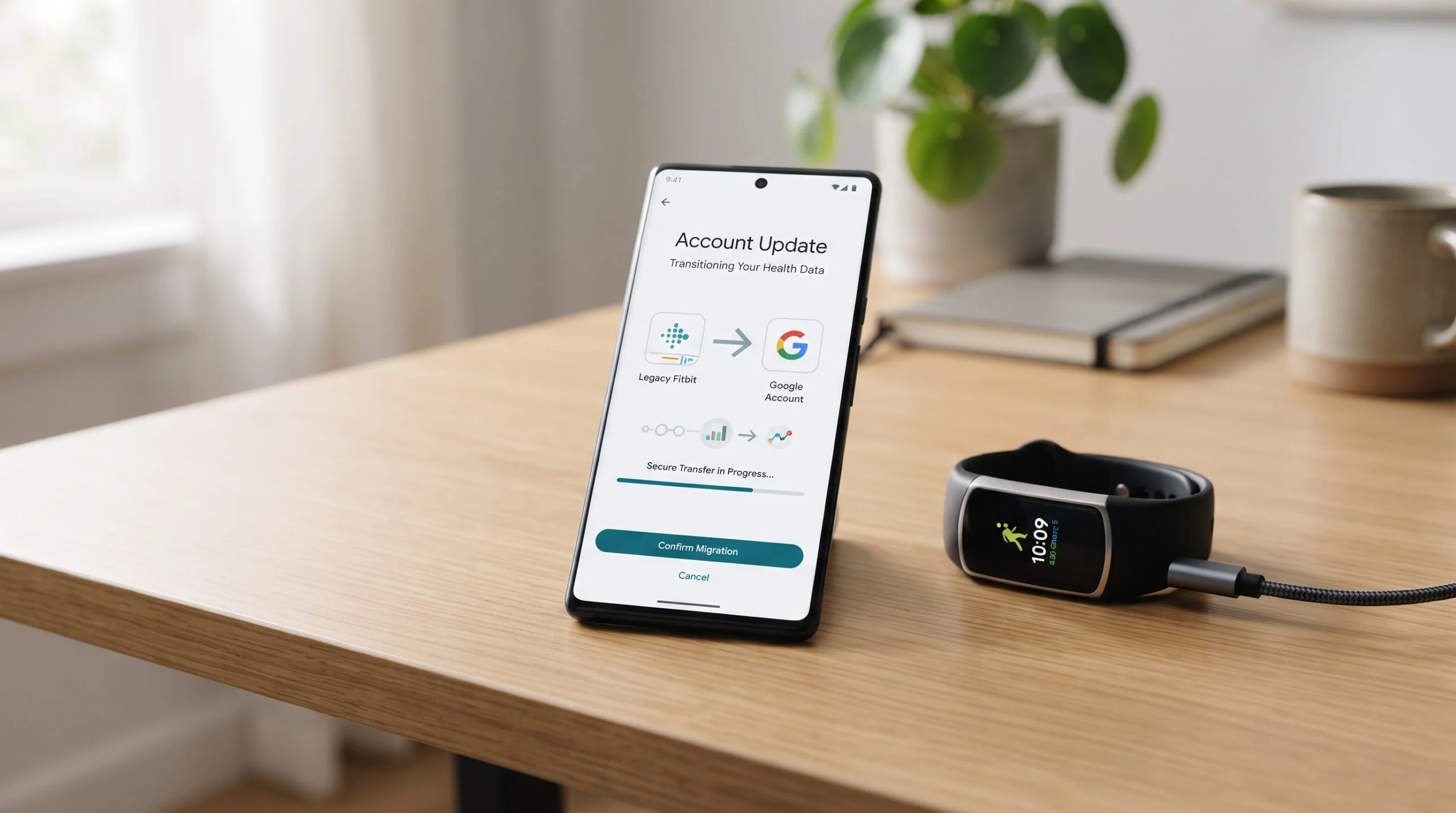
- Existing Fitbit users needed to move their accounts to Google to continue using the service.
- Fitbit Premium was renamed Google Health Premium.
- Fitbit historical data that users choose to move can remain associated with their Google Account.
- Fitbit devices continue to work with the new Google Health app.
- The app received a redesigned navigation system and expanded health-data capabilities.
So, if you’re looking for the old Fitbit app, the important thing to understand is that Google has replaced that app experience with Google Health rather than simply launching a separate companion application.
Why Did Fitbit Become Google Health?
Google’s strategy is moving Fitbit beyond being only a fitness-tracking platform.
Google describes the new Google Health app as a centralized destination for health and wellness information. The company says the app can bring together data from wearable devices, Health Connect, Apple Health and other health sources into one place.
That changes the role of Fitbit.
Previously, many users thought of Fitbit primarily as:
Fitbit device → Fitbit app → Fitbit data
Google’s new direction is broader:
Wearables + connected health data + health information → Google Health
Fitbit remains an important part of that system, but it is no longer presented as a completely separate software ecosystem.
This also explains why Google introduced new Google Health features alongside the Fitbit transition, including Google Health Coach and the new Fitbit Air wearable.
The long-term idea is to make health information easier to view and understand across multiple sources instead of forcing users to jump between different applications.
When Did the Fitbit App Change to Google Health?
The official transition began on May 19, 2026.
Google said the new Google Health app would roll out to users starting that day, with the application automatically updating for existing users. Google’s Help Center says most people received the updated experience between May 19 and May 26.
That means the appearance of the Google Health logo on a former Fitbit installation is not necessarily an error or a suspicious third-party application.
It is part of Google’s official Fitbit transition.
Google also temporarily changed some social functionality before the transition. According to its Help Center, social features in the old Fitbit app were locked beginning May 12, 2026, before the new Google Health experience became available.
Is the Old Fitbit App Gone?
For practical purposes, yes.
The old standalone Fitbit app experience has been superseded by the Google Health app.
Google’s own community support responses describe the change as a major transition from the Fitbit app to the redesigned Google Health app.
That can be confusing for long-time Fitbit owners.
You may still think of your device as a Fitbit Charge, Fitbit Sense, Fitbit Versa or another Fitbit product, but the application you use to interact with that device is now part of Google Health.
This distinction matters:
Fitbit hardware has not simply been discontinued because the app was renamed.
Instead, Google is integrating Fitbit’s wearable technology into its broader health platform.
Do Fitbit Devices Still Work With Google Health?
Yes.
Google states that existing Fitbit and Pixel Watch users can continue using their devices with the Google Health app. The Fitbit community’s official announcement also says Fitbit devices continue to pair with and work with the new application.
So if you own a compatible Fitbit tracker or smartwatch, you do not automatically need to replace it simply because the application changed.
The important change is the software experience, not an automatic end to Fitbit hardware support.
That is particularly important for users who have invested years in Fitbit devices and accumulated long-term health and fitness history.
What Happened to Your Fitbit Data?
One of the biggest concerns surrounding the transition is historical data.
Fitbit users often have years of:
- Step history
- Sleep information
- Heart-rate measurements
- Exercise records
- Weight measurements
- Activity trends
- Achievements
- Milestones
- Other health and wellness information
Google says historical Fitbit data can continue to be retained when users move their Fitbit account to a Google Account. The company’s account-migration documentation states that users can keep the historical data they choose to move to their Google Account.
The Fitbit community’s official announcement similarly told users that their historical data, milestones and health trends would remain available during the transition.
So the appearance of Google Health does not automatically mean your Fitbit history has been erased.
However, there is an important account issue.
Do You Need a Google Account for Fitbit Now?
Yes.
This is one of the biggest practical changes.
Google says that after May 19, 2026, users could no longer access Fitbit using a standalone Fitbit account. Existing users needed to move their Fitbit account to Google to continue using the service.
Google also states that a Google Account is required for:
- The Google Health app
- New Fitbit device activation
- New Pixel device activation
- Access to the Google Health ecosystem
The migration process is designed to move your existing Fitbit information into the Google Account you select.
Google says you can review your Fitbit data and setup during the migration process before completing the move.
How to Move Your Fitbit Account to Google
The basic process is:
- Open the Google Health app.
- Sign in using your Fitbit account when prompted.
- Look for the notification asking you to move your account to Google.
- Follow the on-screen migration instructions.
- Review the information presented during the process.
- Complete the migration.
Google notes that once the Fitbit account is moved to a Google Account, the action cannot be undone.
For users who have not completed the transition, it is important to follow Google’s current account guidance rather than relying on old Fitbit tutorials published before the 2026 change.
Another significant change is the name of Fitbit’s subscription service.
As of May 19, 2026, Fitbit Premium was renamed Google Health Premium.
The subscription does not simply disappear because the Fitbit app has changed names.
Instead, Google has incorporated premium Fitbit coaching and health features into the Google Health ecosystem.
Google also says eligible new or returning Google Account users can receive a three-month Google Health Premium trial after updating to the Google Health app. Availability and eligibility can vary, so users should check the current Google Health terms before assuming a trial applies to their account.
For existing Fitbit Premium subscribers, the most important point is simple:
Fitbit Premium is now called Google Health Premium.

What Is Google Health Coach?
Google Health is also introducing a more prominent coaching component.
Google Health Coach is designed to provide personalized health and wellness guidance using Google’s technology, including Gemini. Google describes it as part of the new Google Health experience rather than simply another Fitbit dashboard.
This is an important strategic shift.
The traditional Fitbit experience was heavily focused on showing users measurements:
How many steps did you take?
How long did you sleep?
How much activity did you complete?
The new direction is increasingly about interpreting those measurements and helping users understand what they might mean for their goals.
That does not mean an AI coach replaces the underlying Fitbit sensors.
Your wearable still collects data.
The Google Health platform can then use that information as part of a broader wellness experience.
Google says its AI interactions in the Google Health app are not used to train the underlying generative AI models unless the user specifically opts in under a separate agreement.
What Changed in the Google Health App?
The biggest visible change is the redesigned interface.
Google describes the new app as having four primary areas:
- Today
- Fitness
- Sleep
- Health
The redesigned experience also provides customizable dashboards for quickly accessing selected metrics.
For longtime Fitbit users, this means the application may feel unfamiliar even though many of the underlying health measurements remain recognizable.
Today
The Today area is designed to provide a broader overview of your health and wellness information.
Instead of opening the application primarily as a Fitbit dashboard, users can customize the information they want to see most frequently.
Fitness
The Fitness area focuses on activity and exercise-related information.
This is where Fitbit users will continue to interact with activity measurements and fitness progress within the new Google Health structure.
Sleep
Sleep remains an important component of the Fitbit experience.
The transition does not mean Fitbit suddenly stops being a sleep-tracking platform. Instead, sleep information is now presented within the redesigned Google Health environment.
Health
The Health section represents the broader direction Google is taking.
Instead of limiting the app to information captured directly by a Fitbit wearable, Google Health is designed to combine health information from multiple sources.
What Happened to Fitbit Sleep Tracking?
Sleep tracking remains part of the Google Health experience.
Google specifically lists sleep as one of the major areas supported by the redesigned application.
However, the user experience can feel different because the interface has changed.
This is important when troubleshooting.
If your sleep information appears different after the transition, do not immediately assume that your Fitbit device has stopped tracking sleep.
First check:
- Whether the device is syncing correctly.
- Whether the Google Health app has the required permissions.
- Whether the device is connected to the correct Google Account.
- Whether the application is fully updated.
- Whether the expected sleep information is visible in the new Sleep section.
Google’s own community support has acknowledged user feedback around sleep tracking and directed users toward the new Google Health sleep guidance.
What Happened to Fitbit Steps and Activity Data?
Steps and activity remain part of the Fitbit experience inside Google Health.
Google’s updated social functionality also includes weekly leaderboards that support steps and Cardio Load.
The main change is where users find and interpret that information.
Instead of navigating the older Fitbit interface, users now interact with their fitness data through the Google Health structure.
That means existing Fitbit users may need a short adjustment period while they learn where individual metrics now appear.
The social experience changed during the transition.
Google temporarily locked some social functions in the old Fitbit app before the new Google Health experience became available. After the transition, users could manage friends again and participate in weekly leaderboards.
However, the social profile itself has changed.
Google says the updated profile uses information associated with the user’s Google Account.
Some older Fitbit-specific profile customization options are no longer supported, including choosing a unique username or custom profile photo.
So this is an area where the new Google Health app is not simply an identical copy of the old Fitbit application.
Can Google Health Combine Fitbit Data With Other Health Data?
Yes.
This is one of Google’s central reasons for building the new health platform.
Google says the Google Health app can bring information together from:
- Wearable devices
- Health Connect
- Apple Health
- Other connected health sources
- Medical records, where supported
The goal is to make health information available in a more centralized experience.
For Fitbit users, this means the platform can potentially become much broader than the traditional Fitbit application.
Instead of seeing Fitbit data in isolation, Google wants users to have a more comprehensive view of their health and wellness information.

What About Fitbit Privacy?
The move from a Fitbit Account to a Google Account naturally raises privacy questions.
Google states that Fitbit users’ health and wellness data is not used for Google Ads, and Google says it is continuing this commitment as Fitbit becomes part of Google Health.
Google also says users have control over their health data and can manage connected services and optional data-sharing settings.
There is nevertheless an important distinction:
Once you move Fitbit information to a Google Account, that information is handled under Google’s applicable privacy framework and Google Health terms.
Google’s privacy documentation explains that users can manage what they share with connected services, while data shared outside Google Health can subsequently be governed by the policies and terms of those other services.
For users who are particularly concerned about privacy, it is worth reviewing Google’s current privacy documentation rather than assuming that the new system operates exactly like the old standalone Fitbit account system.
What Should Existing Fitbit Users Do Now?
If your Fitbit is already working with Google Health, there is no reason to panic.
A sensible transition checklist is:
1. Confirm your Google Account
Make sure you know which Google Account is being used with Google Health.
2. Confirm your Fitbit device
Open the app and verify that your wearable is connected and syncing normally.
3. Check your historical information
Look through your sleep, activity, health and other historical data to make sure the information you expect to keep is available.
Spend a few minutes exploring:
Today → Fitness → Sleep → Health
The interface is significantly different from the old Fitbit application.
5. Check your subscription
If you previously had Fitbit Premium, look for the renamed Google Health Premium service.
6. Review privacy settings
Check which connected services and data-sharing permissions are enabled.
7. Don’t replace your Fitbit just because the app changed
The app transition does not itself mean your current Fitbit wearable has become obsolete.
Does the Google Health Change Mean Fitbit Is Dead?
No.
If anything, Google’s 2026 strategy indicates the opposite.
Fitbit is becoming part of a much larger Google health platform.
Google launched the Google Health app alongside Fitbit Air, a new screenless Fitbit wearable designed for continuous health monitoring. Google says Fitbit Air is designed to pair with the Google Health app and provide health and fitness insights through the new ecosystem.
That would make little sense if Google’s objective were simply to abandon Fitbit.
The more accurate interpretation is:
Fitbit is becoming a core wearable component of Google Health rather than operating as a completely independent app ecosystem.
The branding is changing, the application is changing, and the surrounding ecosystem is expanding.
But Fitbit technology remains central to Google’s wearable-health strategy.
Google Health vs. the Old Fitbit App
| Feature | Old Fitbit Experience | Google Health Experience |
|---|---|---|
| Fitbit wearable support | Yes | Yes |
| Fitbit health tracking | Yes | Yes |
| Sleep tracking | Yes | Yes |
| Fitness tracking | Yes | Yes |
| Account system | Fitbit Account | Google Account |
| App branding | Fitbit | Google Health |
| Premium branding | Fitbit Premium | Google Health Premium |
| Broader health data | More Fitbit-centered | Designed for broader integration |
| AI coaching | Limited compared with new system | Google Health Coach |
| Navigation | Classic Fitbit interface | Today, Fitness, Sleep, Health |
| Google ecosystem integration | More limited | Much broader |
The biggest difference is therefore not that Fitbit’s health tracking has suddenly vanished.
The bigger difference is where Fitbit fits in the overall ecosystem.
Common Questions About the Fitbit App Becoming Google Health
Is the Fitbit app now Google Health?
Yes. Beginning May 19, 2026, Google began transitioning the Fitbit app into the Google Health app.
Did Google discontinue Fitbit?
No. Fitbit remains part of Google’s wearable and health ecosystem. Google continues to support Fitbit devices and introduced new Fitbit hardware alongside Google Health.
Why can’t I find the old Fitbit app?
The Fitbit app has been superseded by the Google Health app as part of Google’s 2026 transition.
Do I need a Google Account to use Fitbit?
Yes. Google says a Google Account is required for the Google Health app and that existing Fitbit users needed to move their Fitbit account to Google to continue using the service.
Will I lose my Fitbit history?
Google says historical Fitbit data that you choose to move can remain associated with your Google Account.
No. Fitbit Premium was renamed Google Health Premium on May 19, 2026.
Do Fitbit devices still work?
Yes. Google says Fitbit devices continue to work with the Google Health app.
Does Google Health still track sleep?
Yes. Sleep remains one of the primary areas in the redesigned Google Health app.
Can Google Health combine Fitbit data with other health information?
Yes. Google designed the app to bring together health information from wearable devices and connected sources such as Health Connect and Apple Health.
Is Fitbit data used for Google Ads?
Google says Fitbit user health and wellness data is not used for Google Ads and that this commitment continues under Google Health.
The Bottom Line
The Fitbit app has not simply received another ordinary interface update.
2026 marks a major change in Fitbit’s software ecosystem.
The Fitbit app has transitioned into the Google Health app, Fitbit accounts have moved toward Google Accounts, Fitbit Premium has become Google Health Premium, and Google is expanding Fitbit’s role within a broader health-data platform.
For existing Fitbit owners, the most important takeaway is reassuring:
Your Fitbit wearable does not automatically become useless because the app changed.
Your Fitbit device remains part of Google’s health ecosystem, while the application around it has been redesigned and expanded.
The biggest adjustment is learning the new Google Health interface and understanding how your Fitbit data, Google Account, subscriptions and connected health sources fit together.
For longtime Fitbit users, the transition may initially feel unfamiliar. Some features and social-profile elements have changed, and the new application has generated significant user feedback.
But the strategic direction is clear.
Google is no longer treating Fitbit as an isolated fitness application. It is positioning Fitbit as an important part of a much larger Google Health ecosystem built around connected devices, health data and personalized guidance.
And that makes the 2026 Fitbit app change more significant than a simple rebrand.
It is the beginning of a different chapter for Fitbit.
Sources & Further Reading
For the most current account, privacy, compatibility and transition information, Fitbit users should prioritize Google’s official documentation because the Google Health ecosystem is actively evolving.
- Google Health — redesigned app overview
- Google Health — introduction to the new app
- Google Health — Fitbit account migration guidance
- Google Health — privacy FAQ
- Fitbit Community — official Google Health transition announcement
