
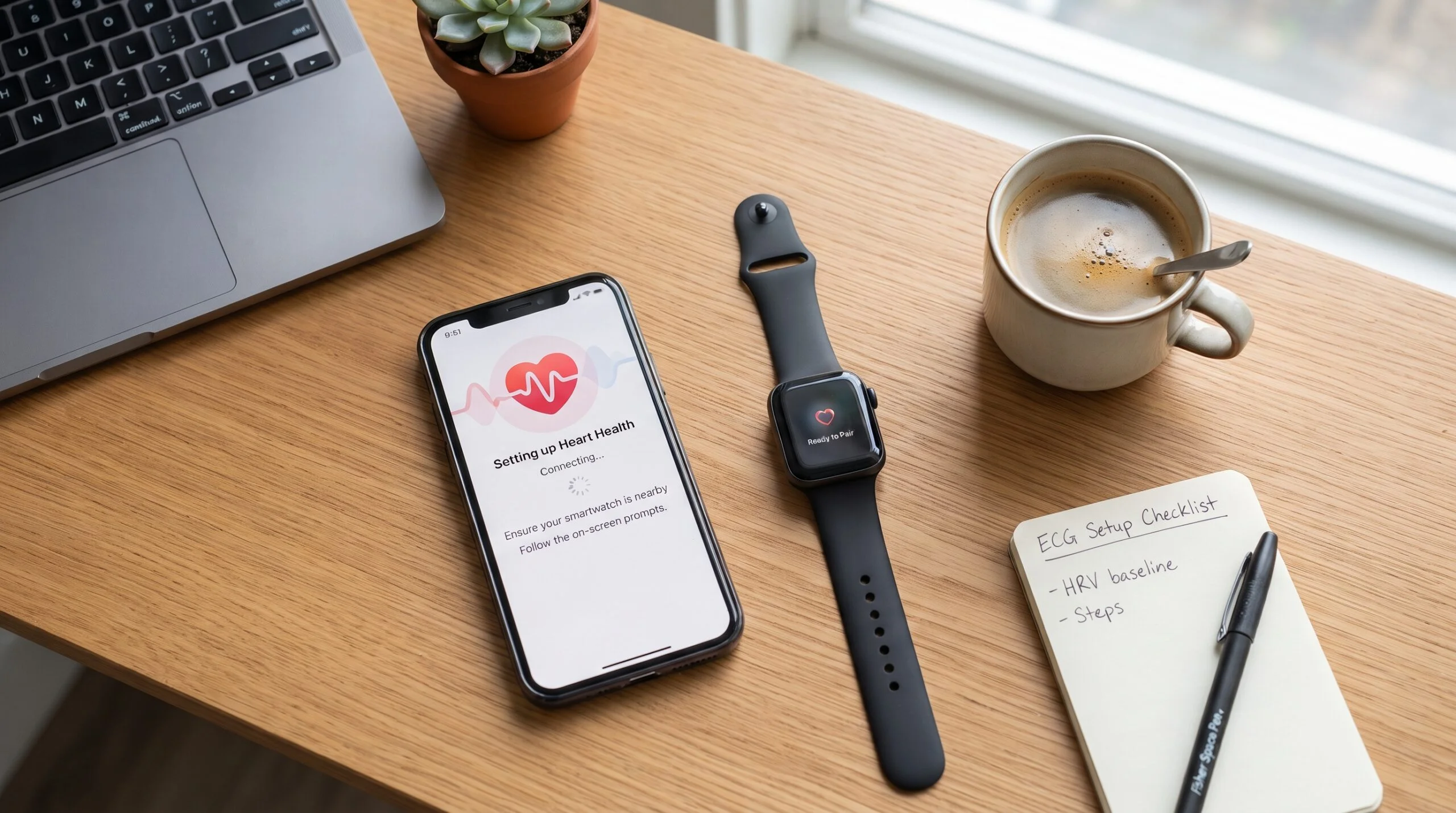
Fitbit ECG App Explained: Compatible Devices, Setup, Accuracy & AFib Detection (2026 Guide)

Fitbit ECG App Guide: Setup, Accuracy & Compatible Devices
Learn how the Fitbit ECG App works, which Fitbit devices support it, how accurate it is, setup instructions, AFib detection, troubleshooting, and expert tip
The Fitbit ECG App allows compatible Fitbit smartwatches to record a single-lead electrocardiogram (ECG) to assess your heart rhythm and check for signs of atrial fibrillation (AFib). The test takes about 30 seconds, is easy to perform from your wrist, and is intended for informational use rather than diagnosing heart conditions. Available on select Fitbit devices, the ECG feature combines advanced heart sensors with clinically validated algorithms to help users monitor their cardiovascular health at home.
Key Takeaways
- The Fitbit ECG App records a 30-second single-lead ECG.
- It can identify possible signs of atrial fibrillation (AFib).
- Only selected Fitbit devices support the ECG feature.
- ECG results should not replace professional medical evaluation.
- Proper watch fit and a steady posture improve reading accuracy.
- The ECG App is designed for adults and is available only in supported countries.
Table of Contents
- What Is the Fitbit ECG App?
- Which Fitbit Devices Support ECG?
- Countries Where Fitbit ECG Is Available
- How the Fitbit ECG App Works
- How to Set Up the Fitbit ECG App
- How to Record an ECG
- Understanding Your ECG Results
- How Accurate Is Fitbit ECG?
- Fitbit ECG vs Apple Watch ECG
- Fitbit ECG vs Samsung ECG
- Common Fitbit ECG Problems
- Safety, Limitations & When to See a Doctor
- Frequently Asked Questions
- Final Verdict
What Is the Fitbit ECG App?
Heart health has become one of the most important reasons people invest in modern smartwatches. Beyond counting steps or tracking workouts, many wearable devices now include sophisticated health sensors capable of monitoring heart activity in real time. Among Fitbit’s most valuable health features is the Fitbit ECG App, designed to help users record an electrocardiogram directly from their wrist.
Unlike continuous heart rate monitoring, which measures how fast your heart is beating, an ECG captures the electrical signals that control each heartbeat. These electrical patterns can reveal whether your heart rhythm appears normal or whether it shows signs of irregularities such as atrial fibrillation (AFib)—one of the most common heart rhythm disorders worldwide.
The Fitbit ECG App provides a convenient way to perform a single-lead ECG in approximately 30 seconds without visiting a clinic. After placing your fingers on the watch’s contact points and remaining still, the device analyzes your heart rhythm and categorizes the result. If the rhythm appears consistent with normal sinus rhythm, the app displays that outcome. If the reading suggests possible AFib, it recommends discussing the result with a healthcare professional. In some cases, the reading may be inconclusive if movement, poor contact, or an elevated heart rate interferes with the measurement.
One of the biggest advantages of the Fitbit ECG App is accessibility. Instead of waiting until symptoms occur during a doctor’s appointment, users can capture a reading whenever they experience unusual sensations such as palpitations, skipped beats, or fluttering. While the app is not intended to diagnose heart disease or replace medical testing, it can provide useful information to share with a healthcare provider.
The ECG feature also reflects Fitbit’s broader transition from a fitness tracker brand into a comprehensive digital health platform. Combined with heart rate monitoring, sleep tracking, blood oxygen trends, stress management tools, and activity insights, the ECG App helps users build a more complete picture of their overall wellness.
For many Fitbit owners, understanding how the ECG App works—and its capabilities and limitations—is essential. In the following sections, we’ll explore compatible devices, setup instructions, accuracy, troubleshooting, and practical guidance so you can use this feature with confidence.
Which Fitbit Devices Support the ECG App?
Not every Fitbit wearable includes the hardware required to perform an electrocardiogram (ECG). The ECG App relies on dedicated electrical sensors built into the watch’s frame, along with advanced algorithms that analyze your heart’s electrical activity. Because of these hardware requirements, the feature is available only on selected Fitbit smartwatches rather than across the entire Fitbit lineup.
If you’re planning to buy a Fitbit specifically for heart health monitoring, checking ECG compatibility should be one of your first priorities. Many buyers assume every recent Fitbit model includes ECG functionality, but that’s not the case.
Fitbit Devices That Support the ECG App
| Fitbit Device | ECG Support | Notes |
|---|---|---|
| Fitbit Sense | ✅ Yes | First Fitbit smartwatch with ECG capability |
| Fitbit Sense 2 | ✅ Yes | Improved sensors and health tracking |
| Fitbit Charge 6 | ✅ Yes | First Charge-series tracker with ECG support |
| Google Pixel Watch | ✅ Yes | ECG supported in eligible regions |
| Google Pixel Watch 2 | ✅ Yes | Enhanced sensor accuracy |
| Google Pixel Watch 3 | ✅ Yes | Latest ECG-enabled Pixel Watch |
Fitbit Devices Without ECG
The following popular Fitbit devices do not include ECG functionality because they lack the required electrical sensors:
- Fitbit Charge 5
- Fitbit Charge 4
- Fitbit Inspire 3
- Fitbit Inspire 2
- Fitbit Luxe
- Fitbit Versa 2
- Fitbit Versa Lite
- Fitbit Ace Series
Although these devices can continuously monitor heart rate, estimate resting heart rate, and provide wellness insights, they cannot record a medical-style single-lead ECG.
Why Doesn’t Every Fitbit Have ECG?
Recording an electrocardiogram is significantly more complex than measuring heart rate.
Heart rate sensors use optical LEDs that shine light into the skin to estimate blood flow. This technology—known as photoplethysmography (PPG)—is excellent for tracking pulse during exercise and throughout the day.
An ECG, however, measures the electrical signals produced by your heart. To capture these signals accurately, the watch requires dedicated electrical contact points that complete a circuit between your wrist and fingertips. Without this specialized hardware, ECG recordings simply aren’t possible.
This is why Fitbit reserves the ECG App for premium models equipped with the necessary sensors.
One of the biggest misconceptions is that the ECG feature requires a Fitbit Premium subscription.
The answer is no.
If your compatible Fitbit device is sold in a supported country and you’ve completed the initial setup in the Fitbit app, you can use the ECG App without paying for Fitbit Premium.
However, Fitbit Premium can complement ECG by providing additional health insights, such as:
- Daily Readiness Score
- Advanced Sleep Profile
- Wellness Reports
- Long-term health trends
- Personalized fitness recommendations
These features help provide broader context for your cardiovascular and overall health, but they are separate from the ECG function itself.
Can Older Fitbit Devices Get ECG Through a Software Update?
Unfortunately, no.
Many users hope that installing the latest firmware will unlock ECG support on older Fitbit models. While software updates can introduce new features and improve existing functionality, they cannot add the physical electrical sensors required for ECG measurements.
If your current Fitbit wasn’t designed with ECG hardware, no update can enable the feature.
How to Check If Your Fitbit Supports ECG
If you’re unsure whether your smartwatch includes ECG, there are a few easy ways to confirm:
- Open the Fitbit app and navigate to your connected device’s settings.
- Look for the ECG App under available apps or health features.
- Ensure your Fitbit firmware and mobile app are fully updated.
- Verify that ECG is available in your country or region.
- Check that you’re using a supported Fitbit or Google Pixel Watch model.
If the ECG App doesn’t appear after completing these steps, your device likely doesn’t support the feature or the service isn’t yet available in your region.
What You’ll Learn Next
Now that you know which devices support the Fitbit ECG App, the next step is understanding where the feature is available. Because of regulatory approvals and healthcare requirements, ECG functionality is not enabled in every country.
Countries Where the Fitbit ECG App Is Available
The Fitbit ECG App isn’t available worldwide. Even if you own a compatible Fitbit device, the feature may not appear unless it has been approved by health regulators in your country or region.
This isn’t a technical limitation—it’s a regulatory one. ECG apps are classified as medical software in many countries, meaning Fitbit (now part of Google) must obtain authorization from the relevant health authorities before enabling the feature for users in that market.
As a result, availability depends on where your Fitbit account is registered and where the ECG feature has received official clearance.
Why Is ECG Limited to Certain Countries?
Unlike basic fitness features such as step counting or calorie tracking, an ECG app analyzes your heart’s electrical activity and may indicate signs of atrial fibrillation (AFib).
Because this information can influence healthcare decisions, regulators require manufacturers to demonstrate that the technology is safe, accurate, and reliable before allowing public use.
Some of the organizations involved in approving ECG features include:
- U.S. Food and Drug Administration (FDA)
- European health regulators
- Health Canada
- Australia’s Therapeutic Goods Administration (TGA)
- Other national medical device authorities
Approval timelines differ from country to country, which explains why the ECG App may be available in one region but not another.
Regions Where Fitbit ECG Is Commonly Supported
The ECG App is generally available in many regions where Fitbit has received regulatory authorization, including:
- United States
- Canada
- United Kingdom
- Australia
- New Zealand
- Many European countries
- Singapore
- Hong Kong
- Selected countries across Asia and Latin America
Google periodically expands support as additional regulatory approvals are granted, so availability can change over time.
Why the ECG App May Not Appear
Many users assume something is wrong with their watch when the ECG App is missing. In reality, one of the following issues is usually responsible:
1. Your Country Isn’t Supported
If Fitbit hasn’t received approval in your country, the ECG App won’t be available—even if your device is fully compatible.
2. Your Fitbit Account Region Is Incorrect
The Fitbit app uses your account information to determine feature availability.
If your account was created with a country that doesn’t support ECG, the feature may remain unavailable.
3. Software Needs Updating
Outdated firmware or an older version of the Fitbit app can prevent new health features from appearing.
Before troubleshooting further, make sure:
- Fitbit firmware is updated.
- The Fitbit mobile app is current.
- Your phone’s operating system is supported.
- Bluetooth synchronization is working properly.
4. Age Requirements
The ECG App is designed for adults.
Users who don’t meet the minimum age requirement set by Fitbit won’t be able to activate the feature, even if they own a compatible device.
Can You Enable ECG by Changing Your Country?
Some users attempt to access ECG by changing their Fitbit account region or using location-based workarounds.
While these methods are frequently discussed online, they can lead to unexpected issues such as:
- Sync problems
- Incorrect health settings
- Feature instability
- Account verification issues
- Loss of access after future software updates
For the most reliable experience, it’s best to use the ECG App only when it is officially supported in your region.
How to Check Whether ECG Is Available
Before assuming your device has a hardware issue, go through this checklist:
| Check | Status |
|---|---|
| Compatible Fitbit device | ✅ |
| Latest Fitbit firmware installed | ✅ |
| Latest Fitbit app installed | ✅ |
| Fitbit account configured correctly | ✅ |
| Supported country or region | ✅ |
| Age requirement met | ✅ |
If all of these requirements are satisfied and the ECG App still doesn’t appear, restarting both your smartwatch and smartphone, then syncing again, may resolve the issue.
Does Traveling Affect ECG Availability?
If you travel internationally, the ECG App generally remains linked to your Fitbit account and the regulatory status associated with it. Simply visiting another country doesn’t necessarily enable or disable the feature. Long-term changes to your account region or device setup may have different effects, depending on Fitbit’s policies and regional approvals.
Key Takeaway
Availability is determined by three factors working together:
- A compatible Fitbit device.
- An officially supported country or region.
- A properly configured Fitbit account with current software.
Meeting all three ensures you’re ready to use the ECG App. In the next section, we’ll look at how the Fitbit ECG App actually works, including the sensors, electrical signals, and the science behind the 30-second heart rhythm recording.
How the Fitbit ECG App Works
The Fitbit ECG App is designed to capture a single-lead electrocardiogram (ECG)—a recording of the electrical signals generated by your heart as it beats. Unlike the continuous heart rate monitoring that uses light-based sensors, the ECG App measures your heart’s electrical activity to identify whether your rhythm appears normal or shows possible signs of atrial fibrillation (AFib).
The process is quick, non-invasive, and can be completed in about 30 seconds using a compatible Fitbit smartwatch. While it doesn’t replace a medical-grade 12-lead ECG performed in a healthcare setting, it provides a convenient way for users to check their heart rhythm whenever they experience unusual symptoms or simply want to monitor their cardiovascular health.
Understanding the Difference Between Heart Rate and ECG
Many Fitbit users confuse heart rate monitoring with ECG recordings, but they measure two very different aspects of heart health.
| Heart Rate Monitoring | ECG Recording |
|---|---|
| Measures how fast your heart beats | Measures the heart’s electrical activity |
| Uses optical LED sensors | Uses dedicated electrical sensors |
| Runs continuously throughout the day | Starts manually when you open the ECG App |
| Ideal for workouts and daily tracking | Designed to assess heart rhythm |
| Shows beats per minute (BPM) | Detects Normal Sinus Rhythm or possible AFib |
Think of it this way:
- Heart rate tells you how fast your heart is beating.
- ECG tells you how your heart is beating.
Both are valuable, but they serve different purposes.
The Science Behind Fitbit ECG
Every heartbeat begins with an electrical impulse. This signal travels through the heart muscle, causing the chambers to contract and pump blood throughout the body.
The Fitbit ECG App records these tiny electrical impulses using electrodes built into the smartwatch. When you place your fingers on the metal contact points, your body completes an electrical circuit between your arms and chest, allowing the watch to detect your heart’s electrical signals.
The collected data is then analyzed using Fitbit’s algorithms, which look for rhythm patterns consistent with:
- Normal Sinus Rhythm (NSR): A regular heartbeat pattern that falls within the expected range.
- Possible Atrial Fibrillation (AFib): An irregular rhythm that may warrant medical evaluation.
- Inconclusive: The recording couldn’t be interpreted reliably, often due to movement, poor contact, or other factors.
It’s important to understand that the app evaluates rhythm, not every possible heart condition. It cannot detect heart attacks, blocked arteries, or many other cardiac abnormalities.
Step-by-Step: What Happens During an ECG Recording?
When you start an ECG recording on your Fitbit, the process follows a simple sequence:
Step 1: Open the ECG App
Launch the ECG App directly from your compatible Fitbit smartwatch.
Step 2: Sit Still
Choose a quiet place where you can sit comfortably. Rest your forearms on a table or your lap to minimize movement.
Step 3: Place Your Fingers on the Contacts
Lightly touch the watch’s metal contact points with your fingers. Avoid pressing too hard, as gentle contact is enough for the sensors to work.
Step 4: Wait for 30 Seconds
Remain still and breathe normally while the watch records your heart’s electrical activity. Talking or moving during the recording can introduce interference.
Step 5: View Your Result
Once the recording is complete, the app analyzes the data and displays one of the available heart rhythm results. The reading is also synced to the Fitbit app, where you can review your ECG history and, if needed, share the information with your healthcare provider.
What Does the Fitbit ECG Measure?
During the 30-second recording, the ECG App evaluates several aspects of your heart rhythm, including:
- Regularity of heartbeats.
- Timing between electrical signals.
- Patterns associated with atrial fibrillation.
- Overall rhythm consistency.
The app does not measure blood pressure, blood oxygen levels, or cholesterol. Those metrics require different sensors or medical tests.
Factors That Can Affect ECG Accuracy
To get the most reliable reading, it’s important to minimize anything that could interfere with the electrical signal. Common factors that may reduce accuracy include:
- Excessive body movement.
- Talking during the recording.
- Loose watch fit.
- Wet or dirty skin.
- Poor finger contact with the electrodes.
- Strong electrical interference from nearby devices.
If the app returns an inconclusive result, simply waiting a few minutes and repeating the test under better conditions often resolves the issue.
Why Fitbit Uses a 30-Second Recording
A 30-second ECG provides enough information for Fitbit’s algorithms to evaluate heart rhythm patterns while keeping the process quick and convenient. Longer recordings aren’t always necessary for screening purposes, making the feature practical for everyday use without interrupting your routine.
However, because it’s a brief snapshot of your heart rhythm, the ECG App may not capture irregularities that occur only occasionally. If you experience recurring symptoms despite normal ECG results, you should consult a healthcare professional for further evaluation.
Key Takeaway
The Fitbit ECG App combines specialized hardware with intelligent software to provide a simple, at-home heart rhythm assessment in just 30 seconds. Understanding how it works helps users interpret results more confidently and use the feature as intended—as a screening and monitoring tool, not a substitute for professional medical care.
How to Set Up the Fitbit ECG App
Setting up the Fitbit ECG App only takes a few minutes, but several requirements must be met before the feature becomes available. Many users assume the app is broken when it doesn’t appear, but in most cases, the issue is related to compatibility, software, account settings, or regional availability rather than the watch itself.
If you’re using a compatible Fitbit smartwatch for the first time, following the correct setup process will ensure you can start recording ECG readings without unnecessary troubleshooting.
Before You Begin
Before installing or using the ECG App, verify that you meet all of the following requirements.
✔ Compatible Fitbit Device
The ECG App is currently available only on supported Fitbit smartwatches and trackers equipped with ECG hardware.
✔ Updated Fitbit App
Install the latest version of the Fitbit app on your Android or iPhone. Running an outdated version may prevent the ECG feature from appearing.
✔ Updated Watch Firmware
Your Fitbit should be running the latest firmware available for your device. Firmware updates often include bug fixes, security improvements, and support for newer health features.
To check for updates:
- Open the Fitbit app.
- Tap your profile picture.
- Select your Fitbit device.
- Check for available firmware updates.
- Install any pending updates before continuing.
✔ Bluetooth Enabled
Your smartphone and Fitbit should remain connected through Bluetooth during the initial setup process.
A stable connection allows the ECG App to activate correctly and sync future recordings.
✔ Fitbit Account
You’ll need to sign in with your Fitbit account.
The account stores your ECG history, health reports, and settings across devices.
✔ Eligible Country
As explained in the previous section, ECG is only available in supported regions where Fitbit has received regulatory approval.
Step-by-Step Fitbit ECG App Setup
Once you’ve confirmed the requirements, follow these steps.
Step 1: Sync Your Fitbit
Open the Fitbit app and allow your smartwatch to synchronize completely.
A successful sync ensures your watch receives any required configuration updates.
Step 2: Open Health Features
Navigate to your Fitbit device inside the app.
Locate the Health Features or Apps section.
If ECG is supported for your device and region, you’ll see the ECG feature listed.
Step 3: Read the Safety Information
Before using the ECG App for the first time, Fitbit presents important information explaining:
- What the ECG App does
- What it cannot detect
- Intended use
- Safety warnings
- Medical limitations
Take a few moments to read these notices carefully before accepting them.
Step 4: Complete the Activation Process
Follow the on-screen instructions.
During activation, Fitbit may ask you to confirm:
- Date of birth
- Country
- Health acknowledgments
- Terms of use
These confirmations help determine eligibility for the ECG feature.
Step 5: Launch the ECG App
Once activation is complete:
- Open the Apps list on your Fitbit.
- Tap ECG.
- Follow the prompts for your first recording.
The app is now ready whenever you want to perform an ECG measurement.
How Long Does Setup Take?
For most users, the entire setup process takes less than five minutes, provided:
- The watch is already paired.
- Software is current.
- ECG is supported in the user’s country.
- Bluetooth remains connected.
If updates are required, the process may take longer depending on your internet connection and firmware download time.
Tips for a Successful First Recording
Your first ECG reading is often the most important because it helps you become familiar with the process. These best practices can improve the quality of your recording:
- Wear the watch snugly above your wrist bone.
- Clean and dry both your wrist and fingertips.
- Sit comfortably with your feet flat on the floor.
- Rest your forearms on a table or your lap.
- Stay still and avoid talking during the recording.
- Breathe naturally throughout the 30-second test.
Following these simple steps reduces the likelihood of an inconclusive result.

Why the ECG App Might Not Appear After Setup
If you’ve completed the setup but still can’t find the ECG App, check the following:
| Possible Issue | Recommended Solution |
|---|---|
| Unsupported Fitbit model | Confirm your device includes ECG hardware. |
| Unsupported country or region | Verify ECG availability for your account’s region. |
| Outdated Fitbit app | Update the app to the latest version. |
| Old watch firmware | Install any available firmware updates. |
| Bluetooth sync issue | Restart Bluetooth and sync the watch again. |
| Account configuration problem | Sign out of the Fitbit app, sign back in, and resync. |
If the problem persists after these checks, contacting Fitbit Support may be necessary to determine whether there’s a device-specific or account-related issue.
Best Practices After Setup
Once your ECG App is working:
- Keep your Fitbit software updated.
- Record ECGs only when you’re relaxed and seated.
- Review your results in the Fitbit app.
- Share ECG reports with your healthcare provider if recommended.
- Remember that repeated inconclusive readings or symptoms such as chest pain, dizziness, fainting, or persistent palpitations should be evaluated by a medical professional rather than relying solely on smartwatch data.
Key Takeaway
Setting up the Fitbit ECG App is straightforward when your device, account, and region meet the necessary requirements. A few minutes spent updating your watch, verifying compatibility, and following the activation steps can help ensure reliable ECG recordings whenever you need them.
How to Record an ECG and Understand Your Results
Once the Fitbit ECG App is set up, taking an ECG reading is quick and straightforward. The entire process takes approximately 30 seconds and is designed to provide a snapshot of your heart rhythm at that moment.
Although the procedure is simple, following the correct technique is essential. Small mistakes—such as moving your hand, talking, or wearing the watch too loosely—can affect signal quality and lead to an inconclusive result.
This section explains how to perform an ECG correctly and what each possible result actually means.
Step-by-Step: How to Record an ECG
Step 1: Wear Your Fitbit Correctly
Before opening the ECG App:
- Wear the watch slightly above your wrist bone.
- Fasten the band snugly but comfortably.
- Ensure the back sensor maintains full contact with your skin.
A loose watch can interrupt the electrical signal and reduce recording quality.
Step 2: Sit in a Comfortable Position
Choose a quiet place where you can remain still for about 30 seconds.
For the best results:
- Sit upright in a chair.
- Rest your arms on a table or your lap.
- Keep both feet flat on the floor.
- Relax your shoulders and hands.
Avoid recording an ECG while:
- Walking
- Exercising
- Driving
- Climbing stairs
- Performing household chores
Movement creates electrical interference that may affect the reading.
Step 3: Open the ECG App
On your compatible Fitbit:
- Press the side button (if applicable).
- Open the Apps menu.
- Tap ECG.
- Follow the on-screen instructions.
The app will guide you through the recording process.
Step 4: Place Your Fingers on the Watch
Lightly place your fingers on the watch’s metal contact points.
Keep your fingers relaxed.
Do not:
- Press too hard.
- Grip the watch tightly.
- Move your fingers during the test.
The ECG works by creating an electrical circuit between your wrist and fingertips.
Step 5: Remain Still for 30 Seconds
The watch begins recording immediately.
During the recording:
- Breathe normally.
- Stay relaxed.
- Avoid speaking.
- Don’t change your sitting position.
You’ll see a countdown timer while the ECG is being recorded.
Step 6: Review Your Result
When the recording finishes, Fitbit analyzes your heart rhythm and displays one of several possible outcomes.
The result is also saved in the Fitbit app, allowing you to review previous ECG recordings over time.
Understanding Fitbit ECG Results
Receiving a result is only useful if you understand what it means. The ECG App is designed to classify your recording into one of several categories.
1. Normal Sinus Rhythm (NSR)
This is generally the result most users expect.
A Normal Sinus Rhythm means:
- Your heart rhythm appeared regular during the recording.
- The detected heart rate fell within the range the ECG algorithm can evaluate.
- No signs of atrial fibrillation were identified in that specific recording.
A normal result is reassuring, but it doesn’t guarantee that your heart is free from every possible condition. It reflects only the rhythm captured during that 30-second session.
2. Possible Atrial Fibrillation (AFib)
If the app identifies a rhythm pattern consistent with atrial fibrillation, it will indicate Possible AFib.
AFib is an irregular heart rhythm that may increase the risk of complications such as stroke if left untreated.
A Possible AFib result does not confirm a diagnosis. Instead, it signals that the recorded rhythm resembles AFib and should be evaluated by a qualified healthcare professional.
If you receive this result—especially more than once—contact your doctor and share the ECG report for further assessment.
3. Inconclusive Result
Sometimes the ECG App cannot determine whether your rhythm is normal or irregular.
Common reasons include:
- Excessive movement
- Poor finger contact
- Loose watch fit
- Electrical interference
- Heart rate outside the supported analysis range
In many cases, simply waiting a few minutes, improving your watch fit, and repeating the recording will produce a clearer result.
4. Poor Recording Quality
Although less common, the app may indicate that the signal quality wasn’t sufficient for analysis.
Possible causes include:
- Wet skin
- Dirty sensors
- Excessive sweating
- Very dry skin
- Wrist tattoos covering sensor contact areas
- Improper finger placement
Cleaning the watch and ensuring good skin contact usually improves recording quality.
When Should You Take an ECG?
Many people only use the ECG feature once out of curiosity, but it can be most useful in specific situations.
Consider recording an ECG if you experience:
- Heart palpitations
- Fluttering sensations
- Skipped heartbeats
- Episodes of rapid heartbeat while resting
- Unexplained dizziness (after sitting safely)
You can also take occasional readings when feeling well to establish a personal history of normal rhythm recordings.
However, avoid repeatedly checking your ECG without a reason, as frequent testing may increase unnecessary anxiety without providing additional health benefits.
When Should You Seek Medical Care?
The Fitbit ECG App is a screening tool—not an emergency diagnostic device.
Seek immediate medical attention if you experience symptoms such as:
- Chest pain or pressure
- Severe shortness of breath
- Fainting or loss of consciousness
- Sudden weakness or numbness
- Difficulty speaking
- Persistent or worsening heart-related symptoms
These symptoms require prompt evaluation regardless of what your smartwatch reports.
Yes.
One useful feature of the Fitbit ecosystem is the ability to review your ECG history in the Fitbit app and share reports during a medical appointment.
Providing your healthcare provider with multiple recordings—especially those taken during symptoms—may help them decide whether additional testing, such as a clinical ECG or a longer-term heart monitor, is appropriate.
Expert Tip
For the most reliable results, try taking ECG readings at roughly the same time of day when you’re calm and seated. Consistent conditions can reduce variables that affect signal quality and make it easier to compare recordings over time.
Key Takeaway
The Fitbit ECG App makes it easy to capture a 30-second snapshot of your heart rhythm from your wrist. Understanding how to perform the recording correctly and interpret the possible outcomes—Normal Sinus Rhythm, Possible AFib, or Inconclusive—helps you use the feature confidently while recognizing its role as a screening tool rather than a replacement for professional medical evaluation.
How Accurate Is the Fitbit ECG App?
One of the first questions people ask after using the Fitbit ECG App is whether they can trust the results. After all, recording an electrocardiogram from your wrist sounds impressive—but how close is it to the equipment used in hospitals and cardiology clinics?
The short answer is that the Fitbit ECG App is designed to be a screening tool, not a replacement for a clinical evaluation. It can provide useful information about your heart rhythm and help identify possible signs of atrial fibrillation (AFib), but it cannot diagnose every heart condition or replace a medical-grade 12-lead ECG.
Understanding what the ECG App can—and cannot—do is essential for interpreting your results correctly.
How Fitbit Measures Accuracy
The Fitbit ECG App records a single-lead ECG, which captures electrical activity from one perspective of your heart.
By comparison, a hospital ECG typically uses 12 leads, recording electrical signals from multiple angles across your chest, arms, and legs. This provides doctors with a much more detailed view of your heart’s electrical activity.
Because Fitbit records only one lead, its primary purpose is to detect rhythm abnormalities consistent with atrial fibrillation rather than perform a comprehensive cardiac assessment.
Think of it this way:
- Fitbit ECG: Quick screening from your wrist.
- Hospital ECG: Comprehensive diagnostic examination.
Both measure electrical activity, but they serve different clinical purposes.
What Fitbit ECG Is Good At
When used correctly, the Fitbit ECG App performs well in situations it was specifically designed for.
Its strengths include:
- Screening for possible atrial fibrillation (AFib).
- Recording heart rhythm during symptoms such as palpitations.
- Creating a history of ECG recordings over time.
- Providing reports that can be shared with healthcare professionals.
- Offering convenient heart rhythm monitoring from home.
For many users, this means they can capture information during an episode that might otherwise be missed by a routine doctor’s visit.
Factors That Affect Accuracy
Even the best smartwatch ECG cannot produce reliable results if the recording conditions are poor.
Several factors influence the quality of your ECG:
Proper Watch Fit
The watch should sit snugly against your wrist without sliding.
A loose band may interrupt the electrical signal and increase the likelihood of an inconclusive reading.
Staying Still
Movement is one of the biggest causes of poor ECG recordings.
During the 30-second recording:
- Avoid talking.
- Keep your arm relaxed.
- Do not walk or exercise.
- Minimize hand movement.
Skin Contact
Clean, dry skin helps improve signal quality.
Heavy sweat, lotion, dirt, or moisture can interfere with the electrical connection between your skin and the watch.
Finger Placement
Place your fingers gently on the watch’s contact points.
Pressing too hard or lifting your fingers before the recording ends may interrupt the signal.
Heart Rate
The ECG algorithm is designed to analyze heart rhythms within specific operating conditions. Extremely fast or unusually slow heart rates may result in an inconclusive reading rather than a rhythm classification.
What Fitbit ECG Cannot Detect
Understanding the limitations of the ECG App is just as important as understanding its capabilities.
The Fitbit ECG App is not designed to detect:
- Heart attacks.
- Blocked arteries.
- High blood pressure.
- Heart failure.
- Blood clots.
- High cholesterol.
- Every type of irregular heartbeat.
- Structural heart disease.
A normal ECG result does not guarantee that your heart is completely healthy.
If you have symptoms or concerns, medical evaluation remains essential.
Fitbit ECG vs Hospital ECG
| Feature | Fitbit ECG App | Hospital ECG |
|---|---|---|
| Number of Leads | Single-lead | 12-lead |
| Recording Time | About 30 seconds | Varies by clinical need |
| Purpose | Heart rhythm screening | Comprehensive cardiac evaluation |
| Detects Possible AFib | ✅ Yes | ✅ Yes |
| Diagnoses Multiple Heart Conditions | ❌ No | ✅ Yes |
| Home Use | ✅ Yes | ❌ No |
| Requires Medical Professional | ❌ No | ✅ Yes |
This comparison highlights why the Fitbit ECG App is best viewed as a convenient monitoring tool rather than a substitute for clinical testing.
Can You Trust the Results?
For most users, the answer is yes—within the intended purpose of the feature.
If you:
- Wear the watch correctly,
- Follow the recording instructions,
- Remain still during the test,
- Use a compatible device in a supported region,
the ECG App can provide meaningful information about your heart rhythm.
However, smartwatch ECG results should always be interpreted alongside your symptoms and overall health. If you receive repeated “Possible AFib” results, or if you experience symptoms such as chest pain, fainting, or severe shortness of breath, seek medical evaluation regardless of what your smartwatch reports.
Common Misconceptions About Fitbit ECG
Many misconceptions lead users to either overestimate or underestimate what the ECG App can do.
Myth: A normal ECG means my heart is perfectly healthy.
Reality: A normal result only reflects the heart rhythm during that specific 30-second recording.
Myth: Fitbit can diagnose every heart problem.
Reality: The ECG App is designed to screen for rhythm abnormalities, particularly possible AFib, not diagnose all cardiac conditions.
Myth: More ECG recordings always provide better protection.
Reality: Routine recordings can be useful, but frequent testing without symptoms may not provide additional benefit and should not replace medical advice.
Expert Tips for the Most Accurate ECG Readings
To improve the quality of your recordings:
- Take measurements while relaxed and seated.
- Wear the watch snugly above the wrist bone.
- Keep the sensors and your skin clean and dry.
- Avoid caffeine or strenuous exercise immediately before a recording if you’re trying to capture a resting rhythm.
- Record ECGs consistently if your healthcare provider has recommended monitoring your heart rhythm.
Key Takeaway
The Fitbit ECG App offers a convenient way to monitor your heart rhythm from home and can be valuable for identifying possible signs of atrial fibrillation when used correctly. While it provides reliable screening within its intended purpose, it does not replace professional medical evaluation or a hospital-grade ECG. Understanding both its strengths and limitations will help you use the feature confidently and responsibly.
How Accurate Is the Fitbit ECG App?
One of the first questions people ask after using the Fitbit ECG App is whether they can trust the results. After all, recording an electrocardiogram from your wrist sounds impressive—but how close is it to the equipment used in hospitals and cardiology clinics?
The short answer is that the Fitbit ECG App is designed to be a screening tool, not a replacement for a clinical evaluation. It can provide useful information about your heart rhythm and help identify possible signs of atrial fibrillation (AFib), but it cannot diagnose every heart condition or replace a medical-grade 12-lead ECG.
Understanding what the ECG App can—and cannot—do is essential for interpreting your results correctly.
How Fitbit Measures Accuracy
The Fitbit ECG App records a single-lead ECG, which captures electrical activity from one perspective of your heart.
By comparison, a hospital ECG typically uses 12 leads, recording electrical signals from multiple angles across your chest, arms, and legs. This provides doctors with a much more detailed view of your heart’s electrical activity.
Because Fitbit records only one lead, its primary purpose is to detect rhythm abnormalities consistent with atrial fibrillation rather than perform a comprehensive cardiac assessment.
Think of it this way:
- Fitbit ECG: Quick screening from your wrist.
- Hospital ECG: Comprehensive diagnostic examination.
Both measure electrical activity, but they serve different clinical purposes.
What Fitbit ECG Is Good At
When used correctly, the Fitbit ECG App performs well in situations it was specifically designed for.
Its strengths include:
- Screening for possible atrial fibrillation (AFib).
- Recording heart rhythm during symptoms such as palpitations.
- Creating a history of ECG recordings over time.
- Providing reports that can be shared with healthcare professionals.
- Offering convenient heart rhythm monitoring from home.
For many users, this means they can capture information during an episode that might otherwise be missed by a routine doctor’s visit.

Factors That Affect Accuracy
Even the best smartwatch ECG cannot produce reliable results if the recording conditions are poor.
Several factors influence the quality of your ECG:
Proper Watch Fit
The watch should sit snugly against your wrist without sliding.
A loose band may interrupt the electrical signal and increase the likelihood of an inconclusive reading.
Staying Still
Movement is one of the biggest causes of poor ECG recordings.
During the 30-second recording:
- Avoid talking.
- Keep your arm relaxed.
- Do not walk or exercise.
- Minimize hand movement.
Skin Contact
Clean, dry skin helps improve signal quality.
Heavy sweat, lotion, dirt, or moisture can interfere with the electrical connection between your skin and the watch.
Finger Placement
Place your fingers gently on the watch’s contact points.
Pressing too hard or lifting your fingers before the recording ends may interrupt the signal.
Heart Rate
The ECG algorithm is designed to analyze heart rhythms within specific operating conditions. Extremely fast or unusually slow heart rates may result in an inconclusive reading rather than a rhythm classification.
What Fitbit ECG Cannot Detect
Understanding the limitations of the ECG App is just as important as understanding its capabilities.
The Fitbit ECG App is not designed to detect:
- Heart attacks.
- Blocked arteries.
- High blood pressure.
- Heart failure.
- Blood clots.
- High cholesterol.
- Every type of irregular heartbeat.
- Structural heart disease.
A normal ECG result does not guarantee that your heart is completely healthy.
If you have symptoms or concerns, medical evaluation remains essential.
Fitbit ECG vs Hospital ECG
| Feature | Fitbit ECG App | Hospital ECG |
|---|---|---|
| Number of Leads | Single-lead | 12-lead |
| Recording Time | About 30 seconds | Varies by clinical need |
| Purpose | Heart rhythm screening | Comprehensive cardiac evaluation |
| Detects Possible AFib | ✅ Yes | ✅ Yes |
| Diagnoses Multiple Heart Conditions | ❌ No | ✅ Yes |
| Home Use | ✅ Yes | ❌ No |
| Requires Medical Professional | ❌ No | ✅ Yes |
This comparison highlights why the Fitbit ECG App is best viewed as a convenient monitoring tool rather than a substitute for clinical testing.
Can You Trust the Results?
For most users, the answer is yes—within the intended purpose of the feature.
If you:
- Wear the watch correctly,
- Follow the recording instructions,
- Remain still during the test,
- Use a compatible device in a supported region,
the ECG App can provide meaningful information about your heart rhythm.
However, smartwatch ECG results should always be interpreted alongside your symptoms and overall health. If you receive repeated “Possible AFib” results, or if you experience symptoms such as chest pain, fainting, or severe shortness of breath, seek medical evaluation regardless of what your smartwatch reports.
Common Misconceptions About Fitbit ECG
Many misconceptions lead users to either overestimate or underestimate what the ECG App can do.
Myth: A normal ECG means my heart is perfectly healthy.
Reality: A normal result only reflects the heart rhythm during that specific 30-second recording.
Myth: Fitbit can diagnose every heart problem.
Reality: The ECG App is designed to screen for rhythm abnormalities, particularly possible AFib, not diagnose all cardiac conditions.
Myth: More ECG recordings always provide better protection.
Reality: Routine recordings can be useful, but frequent testing without symptoms may not provide additional benefit and should not replace medical advice.
Expert Tips for the Most Accurate ECG Readings
To improve the quality of your recordings:
- Take measurements while relaxed and seated.
- Wear the watch snugly above the wrist bone.
- Keep the sensors and your skin clean and dry.
- Avoid caffeine or strenuous exercise immediately before a recording if you’re trying to capture a resting rhythm.
- Record ECGs consistently if your healthcare provider has recommended monitoring your heart rhythm.
Key Takeaway
The Fitbit ECG App offers a convenient way to monitor your heart rhythm from home and can be valuable for identifying possible signs of atrial fibrillation when used correctly. While it provides reliable screening within its intended purpose, it does not replace professional medical evaluation or a hospital-grade ECG. Understanding both its strengths and limitations will help you use the feature confidently and responsibly.
How Accurate Is the Fitbit ECG App?
One of the first questions people ask after using the Fitbit ECG App is whether they can trust the results. After all, recording an electrocardiogram from your wrist sounds impressive—but how close is it to the equipment used in hospitals and cardiology clinics?
The short answer is that the Fitbit ECG App is designed to be a screening tool, not a replacement for a clinical evaluation. It can provide useful information about your heart rhythm and help identify possible signs of atrial fibrillation (AFib), but it cannot diagnose every heart condition or replace a medical-grade 12-lead ECG.
Understanding what the ECG App can—and cannot—do is essential for interpreting your results correctly.
How Fitbit Measures Accuracy
The Fitbit ECG App records a single-lead ECG, which captures electrical activity from one perspective of your heart.
By comparison, a hospital ECG typically uses 12 leads, recording electrical signals from multiple angles across your chest, arms, and legs. This provides doctors with a much more detailed view of your heart’s electrical activity.
Because Fitbit records only one lead, its primary purpose is to detect rhythm abnormalities consistent with atrial fibrillation rather than perform a comprehensive cardiac assessment.
Think of it this way:
- Fitbit ECG: Quick screening from your wrist.
- Hospital ECG: Comprehensive diagnostic examination.
Both measure electrical activity, but they serve different clinical purposes.
What Fitbit ECG Is Good At
When used correctly, the Fitbit ECG App performs well in situations it was specifically designed for.
Its strengths include:
- Screening for possible atrial fibrillation (AFib).
- Recording heart rhythm during symptoms such as palpitations.
- Creating a history of ECG recordings over time.
- Providing reports that can be shared with healthcare professionals.
- Offering convenient heart rhythm monitoring from home.
For many users, this means they can capture information during an episode that might otherwise be missed by a routine doctor’s visit.
Factors That Affect Accuracy
Even the best smartwatch ECG cannot produce reliable results if the recording conditions are poor.
Several factors influence the quality of your ECG:
Proper Watch Fit
The watch should sit snugly against your wrist without sliding.
A loose band may interrupt the electrical signal and increase the likelihood of an inconclusive reading.
Staying Still
Movement is one of the biggest causes of poor ECG recordings.
During the 30-second recording:
- Avoid talking.
- Keep your arm relaxed.
- Do not walk or exercise.
- Minimize hand movement.
Skin Contact
Clean, dry skin helps improve signal quality.
Heavy sweat, lotion, dirt, or moisture can interfere with the electrical connection between your skin and the watch.
Finger Placement
Place your fingers gently on the watch’s contact points.
Pressing too hard or lifting your fingers before the recording ends may interrupt the signal.
Heart Rate
The ECG algorithm is designed to analyze heart rhythms within specific operating conditions. Extremely fast or unusually slow heart rates may result in an inconclusive reading rather than a rhythm classification.
What Fitbit ECG Cannot Detect
Understanding the limitations of the ECG App is just as important as understanding its capabilities.
The Fitbit ECG App is not designed to detect:
- Heart attacks.
- Blocked arteries.
- High blood pressure.
- Heart failure.
- Blood clots.
- High cholesterol.
- Every type of irregular heartbeat.
- Structural heart disease.
A normal ECG result does not guarantee that your heart is completely healthy.
If you have symptoms or concerns, medical evaluation remains essential.
Fitbit ECG vs Hospital ECG
| Feature | Fitbit ECG App | Hospital ECG |
|---|---|---|
| Number of Leads | Single-lead | 12-lead |
| Recording Time | About 30 seconds | Varies by clinical need |
| Purpose | Heart rhythm screening | Comprehensive cardiac evaluation |
| Detects Possible AFib | ✅ Yes | ✅ Yes |
| Diagnoses Multiple Heart Conditions | ❌ No | ✅ Yes |
| Home Use | ✅ Yes | ❌ No |
| Requires Medical Professional | ❌ No | ✅ Yes |
This comparison highlights why the Fitbit ECG App is best viewed as a convenient monitoring tool rather than a substitute for clinical testing.
Can You Trust the Results?
For most users, the answer is yes—within the intended purpose of the feature.
If you:
- Wear the watch correctly,
- Follow the recording instructions,
- Remain still during the test,
- Use a compatible device in a supported region,
the ECG App can provide meaningful information about your heart rhythm.
However, smartwatch ECG results should always be interpreted alongside your symptoms and overall health. If you receive repeated “Possible AFib” results, or if you experience symptoms such as chest pain, fainting, or severe shortness of breath, seek medical evaluation regardless of what your smartwatch reports.
Common Misconceptions About Fitbit ECG
Many misconceptions lead users to either overestimate or underestimate what the ECG App can do.
Myth: A normal ECG means my heart is perfectly healthy.
Reality: A normal result only reflects the heart rhythm during that specific 30-second recording.
Myth: Fitbit can diagnose every heart problem.
Reality: The ECG App is designed to screen for rhythm abnormalities, particularly possible AFib, not diagnose all cardiac conditions.
Myth: More ECG recordings always provide better protection.
Reality: Routine recordings can be useful, but frequent testing without symptoms may not provide additional benefit and should not replace medical advice.
Expert Tips for the Most Accurate ECG Readings
To improve the quality of your recordings:
- Take measurements while relaxed and seated.
- Wear the watch snugly above the wrist bone.
- Keep the sensors and your skin clean and dry.
- Avoid caffeine or strenuous exercise immediately before a recording if you’re trying to capture a resting rhythm.
- Record ECGs consistently if your healthcare provider has recommended monitoring your heart rhythm.
Key Takeaway
The Fitbit ECG App offers a convenient way to monitor your heart rhythm from home and can be valuable for identifying possible signs of atrial fibrillation when used correctly. While it provides reliable screening within its intended purpose, it does not replace professional medical evaluation or a hospital-grade ECG. Understanding both its strengths and limitations will help you use the feature confidently and responsibly.
Fitbit ECG vs Apple Watch ECG vs Samsung ECG
If you’re shopping for a smartwatch with ECG functionality, you’ll likely compare three major ecosystems: Fitbit, Apple Watch, and Samsung Galaxy Watch. All three offer wrist-based ECG capabilities, but they differ in device compatibility, ecosystem integration, health features, and user experience.
Rather than asking which is “best,” the better question is: Which smartwatch best fits your smartphone, health goals, and daily routine?
Let’s compare them across the features that matter most.
Quick Comparison Table
| Feature | Fitbit ECG | Apple Watch ECG | Samsung ECG |
|---|---|---|---|
| ECG Recording Time | About 30 seconds | About 30 seconds | About 30 seconds |
| AFib Screening | ✅ Yes | ✅ Yes | ✅ Yes |
| Heart Rate Monitoring | ✅ Continuous | ✅ Continuous | ✅ Continuous |
| Irregular Rhythm Notifications | ✅ Supported on compatible devices | ✅ Supported | ✅ Supported |
| Works with Android | ✅ Yes | ❌ No | ✅ Best with Samsung phones |
| Works with iPhone | Limited (Fitbit app supported) | ✅ Yes | Limited functionality |
| Battery Life | Up to several days (varies by model) | Around 1–2 days (model dependent) | Typically 1–3 days (model dependent) |
| Fitness Tracking | Excellent | Excellent | Excellent |
| Sleep Tracking | Excellent | Very Good | Very Good |
Fitbit ECG
Best For
- Android users.
- Existing Fitbit users.
- People focused on fitness and wellness.
- Users wanting longer battery life.
Advantages
One of Fitbit’s biggest strengths is balancing health tracking with battery efficiency.
Compared to many premium smartwatches, compatible Fitbit devices can often run for multiple days before needing a recharge, making continuous health tracking more convenient.
Other strengths include:
- Excellent sleep tracking.
- Detailed wellness metrics.
- Stress Management tools.
- Readiness insights.
- Easy-to-use Fitbit app.
- Comfortable lightweight designs.
Because Fitbit emphasizes both fitness and health monitoring, it’s a strong option for users who want a smartwatch that supports an active lifestyle while offering ECG functionality.
Limitations
The ECG App is designed primarily to detect possible AFib and assess heart rhythm. It is not intended to diagnose all heart conditions, and compatibility is limited to supported Fitbit devices and regions.
Apple Watch ECG
Best For
- iPhone users.
- Users deeply invested in the Apple ecosystem.
- Those seeking seamless integration with Apple Health.
Apple Watch combines ECG functionality with a broad range of health and safety features, making it a popular choice among iPhone owners.
Key strengths include:
- Smooth integration with Apple Health.
- Comprehensive health dashboard.
- Strong app ecosystem.
- Emergency and safety features.
- Easy report sharing with healthcare providers.
For users who already rely on an iPhone, Apple Watch offers one of the most integrated wearable experiences available.
Limitations
Apple Watch is designed specifically for iPhone. It cannot be paired with Android smartphones, making it unsuitable for users who may switch between mobile platforms.
Samsung ECG
Best For
- Samsung Galaxy smartphone owners.
- Android users who prefer Samsung’s ecosystem.
- Users looking for smartwatch productivity features alongside health tracking.
Samsung Galaxy Watches combine ECG monitoring with extensive smartwatch capabilities.
Notable strengths include:
- Strong integration with Samsung Health.
- High-quality AMOLED displays.
- Wide selection of workout modes.
- Productivity features such as messaging, calendars, and voice assistants.
Samsung’s ECG experience is strongest when paired with a compatible Samsung Galaxy smartphone.
Limitations
Some ECG-related features and companion apps may have reduced functionality when paired with non-Samsung Android devices.
Which ECG Is Most Accurate?
All three platforms are designed to record a single-lead ECG and screen for possible atrial fibrillation.
In everyday use, their performance depends less on the brand and more on:
- Correct watch placement.
- Remaining still during the recording.
- Clean skin contact.
- Proper finger placement.
- Following the on-screen instructions.
Regardless of the smartwatch you choose, none should be considered a replacement for a medical-grade 12-lead ECG or professional evaluation.
Battery Life Comparison
Battery life is an important consideration because consistent charging habits affect how often you can monitor your health.
| Brand | General Battery Experience |
|---|---|
| Fitbit | Excellent for multi-day wear |
| Apple Watch | Requires more frequent charging |
| Samsung Galaxy Watch | Moderate battery life depending on model and usage |
For users who prioritize overnight sleep tracking and continuous health monitoring, longer battery life can reduce interruptions.
Which Smartwatch Is Best for Different Users?
Choose Fitbit if you:
- Want multi-day battery life.
- Prioritize fitness and wellness tracking.
- Use an Android phone.
- Value sleep insights and health trends.
Choose Apple Watch if you:
- Own an iPhone.
- Want deep integration with Apple services.
- Prefer a broad smartwatch app ecosystem.
- Need advanced connectivity and ecosystem features.
Choose Samsung Galaxy Watch if you:
- Own a Samsung Galaxy smartphone.
- Use Samsung Health regularly.
- Want a balance of health tracking and smartwatch productivity.
Final Comparison
Each platform offers reliable ECG screening within its intended purpose, but the best choice depends on your ecosystem and priorities:
- Fitbit excels in battery life, fitness tracking, and long-term wellness monitoring.
- Apple Watch delivers the most seamless experience for iPhone users.
- Samsung Galaxy Watch provides a compelling option for Galaxy phone owners with strong health and productivity integration.
Rather than focusing solely on ECG, consider the complete health experience—including sleep tracking, fitness insights, battery life, and compatibility with your smartphone—when choosing the right wearable.
Common Fitbit ECG Problems & Troubleshooting
Even when you have a compatible Fitbit device, you may occasionally run into issues with the ECG App. In most cases, these problems are caused by software settings, connectivity, improper watch placement, or temporary signal interference—not by a faulty smartwatch.
The good news is that many ECG issues can be resolved in just a few minutes without contacting Fitbit Support.
This section covers the most common Fitbit ECG problems, why they happen, and the best ways to fix them.
Problem 1: The ECG App Is Missing
Possible Causes
- Your Fitbit model doesn’t support ECG.
- ECG isn’t available in your country.
- Your Fitbit firmware is outdated.
- The Fitbit app needs updating.
- Your Fitbit account isn’t eligible for ECG.
How to Fix It
✔ Confirm that your device supports ECG.
✔ Update your Fitbit firmware.
✔ Install the latest Fitbit app.
✔ Verify that your Fitbit account is registered in a supported region.
✔ Sync your watch again.
✔ Restart both your phone and Fitbit.
If the app still doesn’t appear, your region or device may not currently support the feature.
Problem 2: ECG Recording Won’t Start
Sometimes tapping the ECG App does nothing, or the recording stops immediately.
Possible Causes
- Bluetooth sync issues.
- Software glitches.
- Incomplete setup.
- Low battery.
- Watch temporarily frozen.
Solutions
- Restart your Fitbit.
- Restart your smartphone.
- Sync your watch again.
- Ensure battery level is above 20%.
- Close other apps running on the watch.

Problem 3: Inconclusive ECG Results
This is one of the most common questions among Fitbit users.
Receiving an Inconclusive result doesn’t necessarily mean there’s a problem with your heart—it simply means the app couldn’t confidently classify the recording.
Common Reasons
- You moved during recording.
- You talked during the test.
- The watch was too loose.
- Fingers lost contact.
- Excessive sweating.
- Dry skin affecting conductivity.
- Electrical interference nearby.
Best Fixes
- Sit comfortably.
- Relax for a few minutes.
- Tighten the watch slightly.
- Clean the sensors.
- Keep both hands still.
- Try another recording.
Many users get a successful reading on the second attempt.
Problem 4: “Poor Recording” Message
If Fitbit reports poor signal quality, the watch wasn’t able to capture a clean electrical signal.
Possible Causes
- Dirty sensors.
- Wet wrist.
- Lotion or sunscreen.
- Tattoos beneath the sensors.
- Loose band.
- Fingers not touching the contacts properly.
Solutions
✔ Wipe the back of the watch.
✔ Dry your skin completely.
✔ Wear the watch higher on the wrist.
✔ Lightly touch the metal contacts.
✔ Avoid excessive pressure.
Problem 5: ECG Results Don’t Sync
Sometimes the ECG completes successfully on the watch, but the result doesn’t appear in the Fitbit app.
Possible Causes
- Bluetooth disconnected.
- Fitbit app running in the background improperly.
- Internet connection interrupted.
- Temporary server delay.
Fixes
- Open the Fitbit app manually.
- Pull down to force a sync.
- Enable Bluetooth.
- Check internet connectivity.
- Restart both devices if syncing remains stuck.
Most synchronization issues resolve after a fresh sync.
Problem 6: ECG App Crashes
If the ECG App closes unexpectedly or freezes during use, it’s often related to software rather than hardware.
Try These Steps
- Restart the watch.
- Update the Fitbit app.
- Update watch firmware.
- Restart your phone.
- Sync again.
If crashes continue after updating everything, reinstalling the Fitbit app may resolve corrupted data or cached settings.
Problem 7: Battery Drains Faster After Using ECG
Many users wonder whether ECG significantly impacts battery life.
The answer is not usually.
An occasional 30-second ECG recording uses very little battery.
However, battery drain may become more noticeable if:
- Multiple health sensors are active.
- GPS is running.
- Always-On Display is enabled.
- Screen brightness is high.
- Frequent syncing is enabled.
Optimizing these settings can improve overall battery life without affecting ECG functionality.
Problem 8: Repeated “Possible AFib” Results
If the ECG App repeatedly indicates Possible AFib, don’t ignore it—but don’t panic either.
The ECG App is designed to flag rhythm patterns that may require further evaluation. Multiple similar results, especially when accompanied by symptoms like palpitations, dizziness, or shortness of breath, should prompt a discussion with a healthcare professional.
Avoid relying on repeated smartwatch tests alone to determine whether something is wrong. A clinical evaluation is the appropriate next step.
General Troubleshooting Checklist
Before contacting Fitbit Support, go through this checklist:
| Checklist Item | Status |
|---|---|
| Compatible Fitbit model | ✅ |
| ECG available in your country | ✅ |
| Latest Fitbit app installed | ✅ |
| Latest watch firmware installed | ✅ |
| Bluetooth connected | ✅ |
| Battery adequately charged | ✅ |
| Watch fits snugly | ✅ |
| Sensors are clean and dry | ✅ |
| Restarted watch and phone | ✅ |
| Synced the Fitbit app | ✅ |
If all of these items are checked and the problem persists, contacting Fitbit Support or consulting your healthcare provider (for health-related concerns) is the next appropriate step.
Expert Tips to Prevent ECG Problems
Following a few simple habits can reduce the likelihood of ECG issues:
- Keep your Fitbit updated with the latest firmware.
- Clean the watch sensors regularly.
- Wear the watch consistently above the wrist bone.
- Perform ECG recordings while seated and relaxed.
- Avoid taking readings immediately after intense exercise.
- Maintain good Bluetooth connectivity for reliable syncing.
These practices help ensure consistent, high-quality ECG recordings over time.
Key Takeaway
Most Fitbit ECG problems are related to setup, software, or recording conditions rather than hardware failure. By ensuring your device is compatible, keeping your software up to date, and following proper recording techniques, you can resolve many common issues without extensive troubleshooting. If problems continue or your ECG results repeatedly suggest an irregular rhythm—especially alongside concerning symptoms—seek guidance from Fitbit Support and a qualified healthcare professional.
Safety, Limitations & Frequently Asked Questions
The Fitbit ECG App is one of the most useful health features available on compatible Fitbit devices, but it’s important to understand its intended purpose and limitations. While it can help identify possible signs of atrial fibrillation (AFib), it is not a substitute for professional medical evaluation, emergency care, or comprehensive cardiac testing.
Using the ECG App responsibly means understanding what it can detect, what it cannot detect, and when you should seek medical attention regardless of your smartwatch’s results.
Important Safety Information
Before relying on the Fitbit ECG App, keep these key points in mind:
- The ECG App is intended to assess heart rhythm, not diagnose every heart condition.
- A normal ECG result does not rule out all heart problems.
- The app should not be used to make medication decisions without consulting a healthcare professional.
- If you experience symptoms such as chest pain, fainting, severe shortness of breath, or sudden weakness, seek emergency medical care immediately rather than depending on a smartwatch reading.
- Follow your healthcare provider’s advice if you have an existing heart condition or implanted cardiac device.
The ECG App is most valuable as a screening and monitoring tool that can complement—not replace—professional medical care.
Understanding the Limitations
Like every consumer wearable, the Fitbit ECG App has limitations that users should understand.
It Cannot Detect Every Heart Condition
The ECG App is designed primarily to identify heart rhythm patterns that may suggest atrial fibrillation. It is not intended to detect:
- Heart attacks
- Coronary artery disease
- Heart valve disorders
- Blood clots
- High blood pressure
- Heart failure
- Congenital heart defects
- Every type of arrhythmia
For these conditions, medical evaluation and specialized testing are required.
It Captures Only a Short Recording
Each ECG recording lasts approximately 30 seconds.
If an irregular heart rhythm occurs outside that recording window, the app may not detect it.
This is one reason why healthcare providers sometimes recommend longer-term monitoring devices for patients with intermittent symptoms.
Results Depend on Proper Use
The quality of your ECG recording depends on:
- Correct watch placement
- Staying still
- Proper finger contact
- Clean sensors
- Updated software
Poor recording conditions can lead to inconclusive results even when your heart rhythm is normal.
When Should You Contact a Doctor?
You should arrange a medical evaluation if:
- You receive repeated Possible AFib results.
- You experience frequent heart palpitations.
- You notice recurring irregular heartbeats.
- You have unexplained dizziness or fainting episodes.
- You have a family history of heart rhythm disorders and new symptoms.
Bring your ECG reports with you, as they may provide useful context during your appointment.
When Should You Seek Emergency Care?
Do not rely on the Fitbit ECG App if you experience:
- Chest pain or pressure
- Severe shortness of breath
- Loss of consciousness
- Sudden confusion
- Difficulty speaking
- Sudden weakness on one side of the body
- Symptoms of a possible heart attack or stroke
These situations require immediate emergency medical attention.
Frequently Asked Questions
Does Fitbit ECG detect heart attacks?
No.
The ECG App is designed to evaluate heart rhythm and screen for possible atrial fibrillation. It cannot detect heart attacks or blocked arteries.
Can Fitbit diagnose atrial fibrillation?
No.
The ECG App can identify rhythm patterns that may be consistent with AFib, but only a qualified healthcare professional can diagnose atrial fibrillation using appropriate medical evaluation.
No.
The ECG App is available on compatible devices in supported regions without requiring a Fitbit Premium subscription. Premium provides additional health insights but is not necessary for ECG recordings.
How often should I take an ECG?
There is no universal schedule.
Many users record an ECG only when they experience symptoms such as palpitations or as recommended by their healthcare provider. Routine monitoring may also be appropriate for some individuals under medical guidance.
Yes.
The Fitbit app stores your ECG history, making it easier to review previous recordings and share reports during medical appointments.
Why do I keep getting inconclusive results?
Common causes include:
- Movement during recording.
- Loose watch fit.
- Poor finger contact.
- Wet or dirty skin.
- Electrical interference.
- Heart rate outside the supported analysis range.
Following the recording instructions carefully often resolves the issue.
Is Fitbit ECG accurate enough for home monitoring?
For its intended purpose, the Fitbit ECG App can provide useful information about your heart rhythm and help identify possible signs of AFib. However, it is a consumer health feature and should not replace professional diagnostic testing or medical advice.
Final Verdict
The Fitbit ECG App represents a significant step forward in consumer health technology, bringing heart rhythm monitoring to compatible smartwatches in a way that’s accessible, quick, and easy to use. With a 30-second recording, users can capture a single-lead ECG from virtually anywhere, making it a valuable tool for monitoring their heart rhythm and recognizing potential signs of atrial fibrillation.
One of the biggest strengths of the Fitbit ECG App is its simplicity. The setup process is straightforward, recordings take less than a minute, and results are presented in an easy-to-understand format. Combined with Fitbit’s broader health ecosystem—including heart rate monitoring, sleep tracking, stress insights, and activity tracking—the ECG feature contributes to a more complete picture of overall wellness.
That said, it’s important to keep expectations realistic. The Fitbit ECG App is designed as a screening tool, not a diagnostic device. It cannot detect every heart condition, and a normal result does not guarantee that your heart is free of disease. Likewise, a “Possible AFib” result should prompt a conversation with a healthcare professional rather than self-diagnosis.
For users who own a compatible Fitbit device and want an easy way to monitor their heart rhythm between routine medical visits, the ECG App offers meaningful value. When used correctly—and interpreted alongside professional medical advice—it can become an important part of a proactive approach to heart health.
Whether you’re using a Fitbit Sense, Sense 2, Charge 6, or a compatible Google Pixel Watch, understanding how the ECG App works, its capabilities, and its limitations will help you use this feature with greater confidence and make more informed decisions about your cardiovascular health.

1 thought on “Fitbit ECG App Explained: Compatible Devices, Setup, Accuracy & AFib Detection (2026 Guide)”