
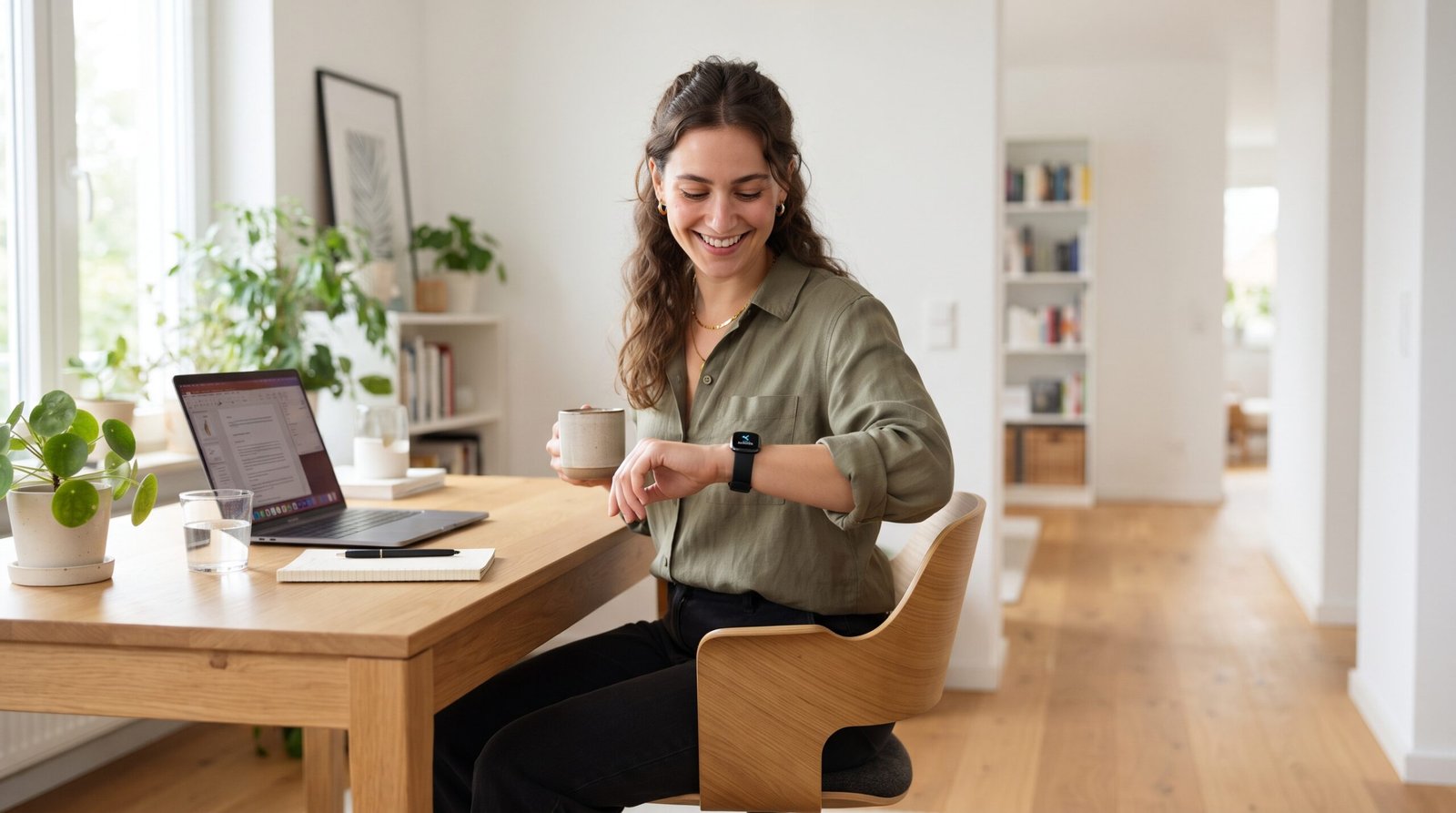
Fitbit Reminders to Move: How to Enable, Customize, and Fix Them

Fitbit Reminders to Move: Enable, Customize & Troubleshoot
Learn how Fitbit Reminders to Move work, how to enable and customize them, and the best ways to fix reminder issues. Improve your daily activity with this complete guide.
Fitbit Reminders to Move are hourly activity notifications designed to encourage you to avoid sitting for long periods. You can enable, customize, or disable them through the Fitbit app, and most reminder issues can be fixed by checking notification permissions, syncing your device, or updating the app and firmware
If you’ve ever looked at your Fitbit and wondered why it buzzed with a reminder to get moving—or why those reminders suddenly stopped—you’re not alone. Fitbit’s Reminders to Move feature is designed to help reduce sedentary time by encouraging short bursts of activity throughout the day. When it’s configured correctly, it can become one of the most effective tools for building healthier daily habits.
Introduction
Modern lifestyles often involve hours of sitting at a desk, driving, or relaxing in front of a screen. Even people who exercise regularly can spend much of the day inactive. That’s where Fitbit Reminders to Move come in. This feature gently encourages you to take a few minutes each hour to walk, stretch, or move, helping you stay active throughout the day instead of relying on a single workout.
Whether you’re using a Fitbit Charge, Inspire, Versa, Sense, or another compatible model, understanding how these reminders work can help you get more value from your device. Many users also encounter issues such as reminders not appearing, incorrect notification settings, or syncing problems. Fortunately, most of these issues are straightforward to resolve once you know where to look.
In this guide, you’ll learn what Fitbit Reminders to Move are, how to turn them on, customize them to match your schedule, troubleshoot common problems, and use them effectively to build healthier routines. By the end, you’ll have everything you need to make this simple feature work for your lifestyle and fitness goals.
Key Takeaways
- Fitbit Reminders to Move encourage short bursts of activity each hour.
- The feature is available on many Fitbit devices and can be customized through the Fitbit app.
- Most reminder issues are caused by notification settings, syncing problems, or battery-saving restrictions.
- Consistent use of hourly movement reminders can help reduce sedentary behavior and support long-term activity goals.
- A few simple settings adjustments can significantly improve how reliably the feature works.
What Are Fitbit Reminders to Move?
Fitbit Reminders to Move are built-in activity notifications designed to help you break up long periods of inactivity. Instead of focusing only on the total number of steps you take each day, this feature encourages you to move regularly by prompting you to walk for a few minutes during each active hour. The goal is to make physical activity a consistent part of your daily routine rather than something limited to a single workout.
When enabled, your Fitbit monitors your movement during your selected active hours. If you have not reached the minimum activity target before the end of an hour, your device gently vibrates and displays a reminder encouraging you to get up and move. Completing the recommended activity contributes toward your hourly movement goal while also supporting your overall daily step count.
Unlike exercise tracking features that focus on workouts, Reminders to Move target everyday habits. Whether you work at a desk, study for long hours, drive frequently, or spend much of the day at home, these reminders help reduce extended sitting by encouraging short movement breaks throughout the day.
The feature is available on many Fitbit devices and can usually be customized through the Fitbit app, allowing you to adjust your active hours and notification preferences to match your lifestyle.
Why Did Fitbit Introduce Reminders to Move?
Many people believe that completing a daily workout is enough to maintain an active lifestyle. However, research has shown that sitting for long periods can still negatively affect overall health, even if you exercise regularly. Fitbit introduced Reminders to Move to encourage consistent movement throughout the day rather than relying solely on one exercise session.
By prompting users to stand up, stretch, or take a short walk every hour, the feature helps build healthier habits that are easier to maintain over time. Small, regular movement breaks can feel more achievable than trying to make up for inactivity later in the day.
Some key benefits include:
- Encouraging regular movement during working hours.
- Helping users build sustainable daily activity habits.
- Supporting step goals through consistent progress.
- Reducing long periods of uninterrupted sitting.
- Making activity tracking more interactive and motivating.
Rather than acting as a fitness coach, the feature serves as a gentle reminder that even a few minutes of movement can contribute to a more active day.
How Fitbit Reminders to Move Work
The feature operates automatically once it has been enabled and configured. During your selected active hours, Fitbit keeps track of your movement in the background.
Here’s a simplified overview of how it works:
- You choose your active hours in the Fitbit app.
- Fitbit monitors your movement during each active hour.
- If you have not met the hourly activity target, your Fitbit sends a reminder near the end of that hour.
- You complete a short walk or other light activity.
- Fitbit records your movement and marks the hour as completed if the activity goal is achieved.
The reminders are designed to fit naturally into your routine. Instead of asking you to complete an intense workout, they encourage brief activity that most people can accomplish within a few minutes.
This approach makes it easier to stay active throughout the day without significantly interrupting work, study, or other daily responsibilities.
Why Hourly Movement Matters
Many modern lifestyles involve extended periods of sitting. Office employees may spend hours at a computer, students often remain seated during classes or study sessions, and remote workers can easily lose track of time without leaving their desks. Over time, these long periods of inactivity can become a regular part of everyday life.
Hourly movement reminders help break that pattern by encouraging small activity breaks. While these reminders are not a replacement for regular exercise, they can complement an existing fitness routine by promoting more consistent movement throughout the day.
Potential benefits of responding to hourly reminders include:
- Increasing overall daily step count.
- Building healthier movement habits.
- Improving consistency with activity goals.
- Encouraging short walking or stretching breaks.
- Making long workdays feel less sedentary.
For many Fitbit users, the value of this feature isn’t measured by a single reminder. Instead, it’s the cumulative effect of dozens of small movement breaks over weeks and months that can help support a more active lifestyle.
Quick Tip
If you’re new to Fitbit, don’t think of Reminders to Move as alerts that interrupt your day. Instead, treat them as scheduled opportunities to stand up, stretch, refill your water bottle, or take a brief walk. Responding consistently to these reminders can make it easier to maintain healthy activity habits without dramatically changing your daily routine.
Which Fitbit Devices Support Reminders to Move?
One of the strengths of Fitbit Reminders to Move is that the feature is available across many Fitbit devices, making it accessible whether you’re using an entry-level fitness tracker or a premium smartwatch. However, the exact settings and user experience can vary slightly depending on your device model and the version of the Fitbit app.
If your Fitbit supports activity tracking and notifications, there’s a good chance it also supports Reminders to Move. Keeping both your device firmware and the Fitbit app updated helps ensure you have access to the latest features and improvements.
Fitbit Device Compatibility
| Fitbit Device | Reminders to Move | Notes |
|---|---|---|
| Fitbit Charge 6 | ✅ Yes | Fully supported with customizable active hours. |
| Fitbit Charge 5 | ✅ Yes | Full feature support. |
| Fitbit Charge 4 | ✅ Yes | Available through the Fitbit app. |
| Fitbit Inspire 3 | ✅ Yes | Supports hourly movement reminders. |
| Fitbit Inspire 2 | ✅ Yes | Includes customizable reminder settings. |
| Fitbit Versa 4 | ✅ Yes | Full smartwatch integration. |
| Fitbit Versa 3 | ✅ Yes | Supports reminders and notification controls. |
| Fitbit Sense 2 | ✅ Yes | Fully supported. |
| Fitbit Sense | ✅ Yes | Supports hourly movement reminders. |
| Fitbit Luxe | ✅ Yes | Compatible with activity reminders. |
Note: Feature availability may vary depending on firmware version, Fitbit app updates, and regional software releases.
Fitbit Charge Series
The Fitbit Charge lineup is one of the most popular fitness tracker families, and Reminders to Move are an integral part of its health-focused experience.
On devices such as the Charge 6 and Charge 5, reminders appear as gentle vibrations accompanied by an on-screen notification. Users can customize their active hours, allowing reminders to fit around work schedules, commuting, or personal routines.
The Charge series is especially well suited for users who want a lightweight tracker that encourages consistent movement without unnecessary distractions.
Fitbit Inspire Series
The Inspire series is designed for simplicity, making it an excellent choice for beginners. Reminders to Move work seamlessly by prompting users to stand up and walk during selected active hours.
Because the Inspire line focuses on everyday wellness rather than advanced smartwatch features, these reminders play an important role in helping users establish healthier daily habits.
Fitbit Versa Series
The Versa series combines fitness tracking with smartwatch functionality. Along with Reminders to Move, users receive call notifications, app alerts, calendar updates, and health insights on a larger display.
The larger screen makes reminder notifications easier to notice, while customizable watch settings allow users to balance productivity and wellness throughout the day.
Fitbit Sense Series
Fitbit Sense devices include advanced health features such as stress management, ECG capabilities (where available), and comprehensive wellness tracking. Reminders to Move complement these features by encouraging consistent physical activity throughout the day.
For users focused on overall health rather than just exercise, the combination of wellness metrics and hourly movement reminders provides a more holistic approach to daily activity.
Fitbit Luxe and Other Compatible Devices
The Fitbit Luxe emphasizes style while still offering many of Fitbit’s core fitness features, including Reminders to Move. Despite its compact design, it can gently prompt users to stay active during their chosen active hours.
Other compatible Fitbit devices may also include this feature, although the exact menu layout and customization options can differ. Checking your device settings and keeping the Fitbit app updated is the best way to confirm available features.

Benefits of Using Fitbit Reminders to Move
At first glance, hourly reminders may seem like a simple notification. In practice, they can help users build healthier routines by encouraging regular movement throughout the day instead of concentrating all activity into a single workout.
Here are some of the key benefits.
Encourages Consistent Daily Activity
Many people achieve their daily step goal only in the evening after realizing they’ve been inactive all day. Hourly reminders encourage you to spread your activity more evenly, making movement a natural part of your routine.
Helps Reduce Sedentary Time
Long periods of sitting are common for office workers, students, and remote employees. Regular reminders act as prompts to stand, stretch, or take a short walk, helping break up extended inactive periods.
Builds Healthy Long-Term Habits
Healthy routines are often created through small, repeatable actions. Responding to hourly reminders can gradually become an automatic habit, requiring little conscious effort over time.
Supports Daily Step Goals
Every short walk contributes toward your overall daily step count. Even a few minutes of movement each hour can add up significantly by the end of the day, helping you stay on track with your activity goals.
Keeps You Motivated Throughout the Day
Unlike waiting until the evening to exercise, hourly reminders provide regular motivation. These small prompts can make it easier to stay engaged with your fitness goals, especially on busy workdays.
Expert Tip
For the best results, don’t treat each reminder as an obligation. Instead, use it as an opportunity to perform a quick healthy habit—walk around the office, stretch your legs, refill your water bottle, or climb a flight of stairs. Over time, these small actions can become an effortless part of your daily routine.
How to Turn On Fitbit Reminders to Move
Enabling Fitbit Reminders to Move only takes a few minutes and can make a noticeable difference in how active you are throughout the day. Once the feature is turned on, your Fitbit monitors your movement during your chosen active hours and reminds you to move if you’ve been inactive for most of an hour.
The exact steps may vary slightly depending on your Fitbit model and the version of the Fitbit app, but the overall process remains similar.
How to Enable Reminders to Move Using the Fitbit App
The Fitbit app is where you’ll manage most of your reminder settings.
Step 1: Open the Fitbit App
Launch the Fitbit app on your Android or iPhone and make sure your tracker or smartwatch is connected.
Step 2: Select Your Fitbit Device
Tap your profile picture or device icon, then choose the Fitbit device you want to configure.
Step 3: Open Activity or Reminder Settings
Navigate to the activity-related settings where Reminders to Move or Hourly Activity options are available.
Depending on your device, this option may appear under:
- Activity Settings
- Health & Wellness
- Device Settings
- Reminder Settings
Step 4: Turn On Reminders to Move
Toggle the feature On.
Once enabled, your Fitbit will begin monitoring activity during your selected active hours.
Step 5: Sync Your Fitbit
After making changes, manually sync your Fitbit to ensure the updated settings are transferred to your device.
A successful sync helps prevent configuration issues and ensures reminders start working as expected.
Check Notification Permissions
Even if the feature is enabled, reminders won’t appear if notification permissions are restricted.
Verify that:
- Bluetooth is enabled.
- Notifications are allowed for the Fitbit app.
- Your Fitbit remains connected to your phone.
- Background app activity isn’t restricted.
- Focus or notification-filtering modes aren’t blocking alerts.
These settings are among the most common reasons users stop receiving reminders.
Set Your Active Hours
Active Hours define the period during which Fitbit monitors inactivity and sends reminders.
For example:
| Lifestyle | Suggested Active Hours |
|---|---|
| Office Worker | 8:00 AM – 6:00 PM |
| Student | 9:00 AM – 5:00 PM |
| Remote Worker | 8:00 AM – 7:00 PM |
| Shift Worker | Match your work schedule |
| Retiree | Customize based on your daily routine |
Choosing realistic active hours prevents reminders from appearing when you’re sleeping, commuting, or intentionally resting.
Test That Reminders Are Working
After enabling the feature, verify that it’s functioning correctly.
Try this simple test:
- Sync your Fitbit.
- Keep wearing it during your active hours.
- Avoid walking for most of an hour.
- Wait until the end of that active hour.
- Check whether your Fitbit vibrates and displays a movement reminder.
If the reminder appears, your setup is complete.
Quick Checklist
Before moving on, confirm that:
✅ Reminders to Move are enabled.
✅ Your Fitbit has synced successfully.
✅ Bluetooth is connected.
✅ Notification permissions are allowed.
✅ Active Hours are configured correctly.
✅ Your Fitbit is being worn securely.
How to Customize Fitbit Reminders to Move
One of the best features of Fitbit Reminders to Move is the ability to personalize them. Everyone has a different schedule, so customizing the settings can make reminders more useful and less disruptive.
Instead of using the default configuration, adjust the feature to match your work hours, exercise routine, and daily habits.
Customize Active Hours
Active Hours determine when Fitbit should monitor inactivity.
For example:
- Office employees may prefer reminders only during working hours.
- Students can match reminders to class schedules.
- Remote workers may extend active hours into the evening.
- Shift workers can align reminders with overnight or rotating shifts.
Selecting the right schedule helps ensure reminders arrive when they’re actually useful.
Personalize Reminder Timing
While reminder timing varies by device and app version, keeping your Fitbit synced and configured properly helps ensure notifications arrive consistently during your selected active hours.
Avoid setting schedules that conflict with sleep, meetings, or other periods when movement isn’t practical.
Adjust Your Daily Activity Goals
Reminders to Move work best when combined with realistic fitness goals.
You can personalize goals such as:
- Daily step count
- Active minutes
- Distance goals
- Calorie targets
- Exercise frequency
Combining these goals with hourly reminders creates a more balanced approach to staying active throughout the day.
Match Reminders to Your Lifestyle
Different users benefit from different reminder schedules.
Office Workers
Use reminders as a cue to:
- Stand up.
- Walk around the office.
- Stretch your back and shoulders.
- Refill your water bottle.
Remote Workers
Movement breaks can help separate long work sessions.
Consider using reminders to:
- Walk around your home.
- Stretch between meetings.
- Reduce prolonged sitting.
- Refresh your focus.
Students
During study sessions, reminders provide a helpful excuse to:
- Take a short walk.
- Stretch.
- Rest your eyes.
- Improve concentration before returning to work.
Seniors
Gentle movement reminders can encourage regular activity without requiring intense exercise, making it easier to maintain consistent daily movement within personal comfort levels.
Pro Tip
Don’t ignore every reminder. Even a two- or three-minute walk, a few stretches, or climbing a flight of stairs can contribute to your overall activity goals and help establish healthier daily routines.
Why Fitbit Reminders to Move Are Not Working
After enabling Fitbit Reminders to Move, you expect your device to gently buzz and encourage you to move each hour. If those reminders suddenly stop appearing—or never show up in the first place—the problem is usually related to settings, connectivity, or software rather than a hardware failure.
The good news is that most reminder issues can be resolved in just a few minutes without resetting your Fitbit.
Let’s look at the most common causes and how to fix them.
Bluetooth Connection Problems
Your Fitbit relies on a stable Bluetooth connection with your smartphone for syncing settings and certain notifications. If Bluetooth disconnects frequently, reminders may not behave as expected.
Signs
- Fitbit doesn’t sync regularly.
- App shows the device as disconnected.
- Notifications arrive inconsistently.
How to Fix
- Turn Bluetooth off and back on.
- Keep your phone within normal Bluetooth range.
- Restart both your phone and Fitbit.
- Open the Fitbit app and perform a manual sync.
Notification Permissions Are Disabled
One of the most common reasons users miss reminders is that notification permissions have been disabled by the phone’s operating system.
Check That:
- Fitbit app notifications are enabled.
- Notification previews are allowed.
- Background notifications are permitted.
- The app isn’t muted by system settings.
After changing permissions, sync your Fitbit again to ensure the updates are applied.
Incorrect Active Hours
Reminders are only sent during your configured Active Hours. If these hours don’t match your daily schedule, you may never receive reminders when you expect them.
For example:
- Active Hours ending at 5:00 PM won’t send reminders during an evening workout.
- Starting Active Hours too late may skip reminders during the morning.
Review your schedule and adjust it to reflect when you’re normally awake and active.

Fitbit Is Not Syncing Properly
Syncing keeps your Fitbit and the app aligned. If syncing hasn’t occurred recently, new settings may not reach your device.
Manual Sync Steps
- Open the Fitbit app.
- Select your device.
- Pull down or tap Sync Now.
- Wait until syncing finishes before testing reminders.
Frequent syncing also helps ensure your activity data and settings stay up to date.
Battery Saver Mode
Battery-saving features on your phone or Fitbit can limit background activity and delay notifications.
If you’re troubleshooting reminder issues, check whether:
- Battery Saver is enabled on your phone.
- The Fitbit app is restricted from running in the background.
- Power optimization is limiting notification delivery.
Temporarily disabling these restrictions can help determine whether they’re causing the problem.
Do Not Disturb or Sleep Mode
Many Fitbit devices include Do Not Disturb and Sleep Mode, both of which are designed to minimize interruptions.
If either mode is active, reminders may be delayed or suppressed until the mode is turned off.
Before troubleshooting further, verify that these settings aren’t unintentionally enabled.
Outdated Fitbit App
Using an older version of the Fitbit app can lead to compatibility issues after phone operating system updates.
Update the app through your device’s app store and then restart your phone before testing reminders again.
Keeping the app current also provides bug fixes, security improvements, and support for newer Fitbit firmware.
Outdated Fitbit Firmware
Firmware updates improve stability and fix known issues.
If your Fitbit hasn’t been updated for some time:
- Open the Fitbit app.
- Check for available firmware updates.
- Install any pending updates.
- Allow the update to finish completely before disconnecting your device.
Updating firmware often resolves minor software glitches affecting notifications.
How to Fix Fitbit Reminders to Move
If you’re still not receiving reminders, work through the following checklist. Start with the simplest solutions before moving to more advanced troubleshooting.
| Problem | Possible Cause | Recommended Fix |
|---|---|---|
| No reminders appear | Feature disabled | Turn on Reminders to Move in the Fitbit app. |
| Reminders appear randomly | Incorrect Active Hours | Update your Active Hours to match your routine. |
| Fitbit won’t sync | Bluetooth or connection issue | Restart Bluetooth and perform a manual sync. |
| Notifications missing | Permissions disabled | Enable Fitbit notifications in phone settings. |
| Reminders stopped after an update | Software mismatch | Update both the Fitbit app and device firmware. |
| Reminders inconsistent | Battery optimization | Exclude the Fitbit app from battery-saving restrictions. |
| Device behaves unexpectedly | Temporary software issue | Restart your Fitbit and smartphone. |
Step-by-Step Troubleshooting Checklist
Follow these steps in order:
- Confirm Reminders to Move are enabled.
- Perform a manual sync.
- Restart your Fitbit.
- Restart your smartphone.
- Check Bluetooth connectivity.
- Verify notification permissions.
- Review your Active Hours.
- Update the Fitbit app.
- Install any available firmware updates.
- Reconnect or re-pair your Fitbit if the issue persists.
Only consider a factory reset after exhausting all other troubleshooting options and backing up any important data that can be synchronized with your Fitbit account.
Expert Tip
If your reminders suddenly stop after changing phones or reinstalling the Fitbit app, recheck your notification permissions and Active Hours before assuming there’s a hardware problem. Many reminder issues are caused by settings that reset during device migrations or major software updates.
Tips to Get the Most from Fitbit Reminders to Move
Enabling Fitbit Reminders to Move is only the first step. To get real value from the feature, you need to build small, consistent habits around those reminders. Instead of dismissing the notification, use it as an opportunity to add a few minutes of movement to your day.
Over time, these short activity breaks can become part of your routine, making it easier to stay active without scheduling additional workouts.
For Office Workers
Office jobs often involve sitting for six to eight hours or more each day. Hourly reminders provide an easy prompt to break up long periods of desk work.
When your Fitbit vibrates, try to:
- Walk to the printer instead of waiting.
- Take a quick lap around the office.
- Use the stairs instead of the elevator.
- Stand during phone calls.
- Stretch your shoulders, neck, and back.
Even two or three minutes of movement can help interrupt prolonged sitting and refresh your focus.
For Remote Workers
Working from home often means fewer natural opportunities to move compared to an office environment. Without walking to meetings or commuting, it’s easy to remain seated for long stretches.
Use each reminder to:
- Walk around your home.
- Step outside for fresh air.
- Refill your water bottle.
- Stretch between video meetings.
- Perform a few light mobility exercises.
These short breaks can help maintain energy and improve concentration throughout the workday.

For Students
Students frequently spend hours attending classes, studying, or completing assignments. Regular movement breaks can help reduce physical discomfort and improve concentration.
Ideas include:
- Walk around the room for a few minutes.
- Stretch your legs and back.
- Climb a flight of stairs.
- Take a short walk before returning to study.
Keeping these breaks brief helps you stay productive without losing momentum.
For Seniors
Gentle reminders can encourage regular movement without requiring strenuous exercise. Depending on your comfort level and any medical guidance you follow, you might respond to reminders by:
- Walking around the house.
- Stretching gently.
- Practicing light balance exercises.
- Taking a short walk outdoors.
If you have a medical condition or mobility limitations, consult your healthcare provider before making significant changes to your activity routine.
For Weight Loss Goals
Although Reminders to Move are not a weight-loss program, they can support an active lifestyle by reducing long periods of inactivity.
To make the most of them:
- Don’t ignore repeated reminders.
- Aim to complete the suggested movement each hour.
- Combine reminders with realistic daily step goals.
- Pair regular movement with balanced nutrition and consistent exercise.
Small actions repeated throughout the day can complement a broader fitness plan.
Build a Daily Routine Around the Feature
Many successful Fitbit users stop thinking of reminders as notifications and start treating them as scheduled wellness breaks.
For example:
| Time | Suggested Activity |
|---|---|
| 9:50 AM | Walk around the office |
| 10:50 AM | Stretch for 2–3 minutes |
| 11:50 AM | Refill your water bottle |
| 12:50 PM | Take a short walk before lunch |
| 2:50 PM | Walk up and down a flight of stairs |
| 3:50 PM | Stand and stretch |
| 4:50 PM | Walk around the building or home |
A routine like this makes it easier to stay active without disrupting your work or study schedule.
Do Fitbit Reminders to Move Affect Battery Life?
One question many users ask is whether enabling hourly reminders will noticeably reduce battery life.
For most compatible Fitbit devices, the impact is minimal. The feature uses existing motion sensors and periodic notifications rather than continuous GPS tracking or intensive background processing.
Battery life is generally influenced more by features such as:
- Continuous GPS workouts.
- Always-on display (supported models).
- Frequent heart rate monitoring.
- Bright display settings.
- Heavy notification usage.
- Long workout sessions.
Because Reminders to Move rely on simple activity tracking and occasional vibrations, they typically contribute only a small amount to overall battery usage.
Tips to Maximize Battery Life
If you want to balance battery performance with daily reminders:
- Keep your Fitbit firmware updated.
- Sync regularly instead of excessively.
- Turn off unused notifications.
- Reduce screen brightness if needed.
- Disable features you don’t regularly use, such as always-on display (if available).
- Charge your Fitbit before the battery becomes critically low.
Following these practices allows you to enjoy movement reminders while maintaining good battery performance.
Frequently Asked Questions
Can I customize Fitbit Reminders to Move?
Yes. Most compatible Fitbit devices let you adjust Active Hours and other reminder-related settings through the Fitbit app, although available options can vary by model and app version.
Why am I not receiving Fitbit Reminders to Move?
Common causes include disabled notification permissions, incorrect Active Hours, Bluetooth connectivity problems, outdated firmware, or battery-saving settings that restrict background activity.
Do Fitbit Reminders to Move work without a phone?
Many Fitbit devices can continue tracking activity and displaying reminders after settings have been synced to the device. However, the Fitbit app is still needed for configuring preferences and keeping settings updated.
Can I turn off Reminders to Move?
Yes. You can disable the feature through the Fitbit app if you no longer wish to receive hourly movement notifications.
Do Reminders to Move drain battery?
The battery impact is generally very small because the feature uses existing sensors and brief notifications rather than power-intensive functions like GPS.
Which Fitbit models support this feature?
Many recent Fitbit devices—including Charge, Inspire, Versa, Sense, and Luxe models—support Reminders to Move. Specific features may vary depending on your device and software version.
How many steps do I need to satisfy a reminder?
The movement goal associated with a reminder is determined by Fitbit’s activity logic and may vary depending on your device and software. Follow the on-screen guidance provided by your Fitbit rather than aiming for a fixed step count.
Can I receive reminders while sleeping?
No. If your Active Hours are configured correctly, reminders should only appear during the times you’ve selected as active.
Conclusion
Fitbit Reminders to Move are a simple but effective feature for reducing long periods of inactivity and encouraging healthier daily habits. Rather than focusing only on your total daily steps, they promote consistent movement throughout the day by reminding you to stand, walk, or stretch during your active hours.
By enabling the feature, customizing it to fit your schedule, and following the troubleshooting tips in this guide, you can make hourly reminders a reliable part of your daily routine. While they won’t replace regular exercise, these small prompts can help you stay more mindful of your activity and support long-term fitness goals.
Whether you’re working at a desk, studying, working from home, or simply trying to become more active, responding to a few reminders each day can make a meaningful difference over time. Configure the feature once, keep your Fitbit updated, and let it encourage healthier movement—one hour at a time.
